Category: Blog

  • Why AI Cites Your Competitors Instead of You

    Why AI Cites Your Competitors Instead of You

    The Foundational Misdiagnosis

    Answer engine optimization is not “SEO but for ChatGPT.” The two disciplines serve different retrieval mechanisms.

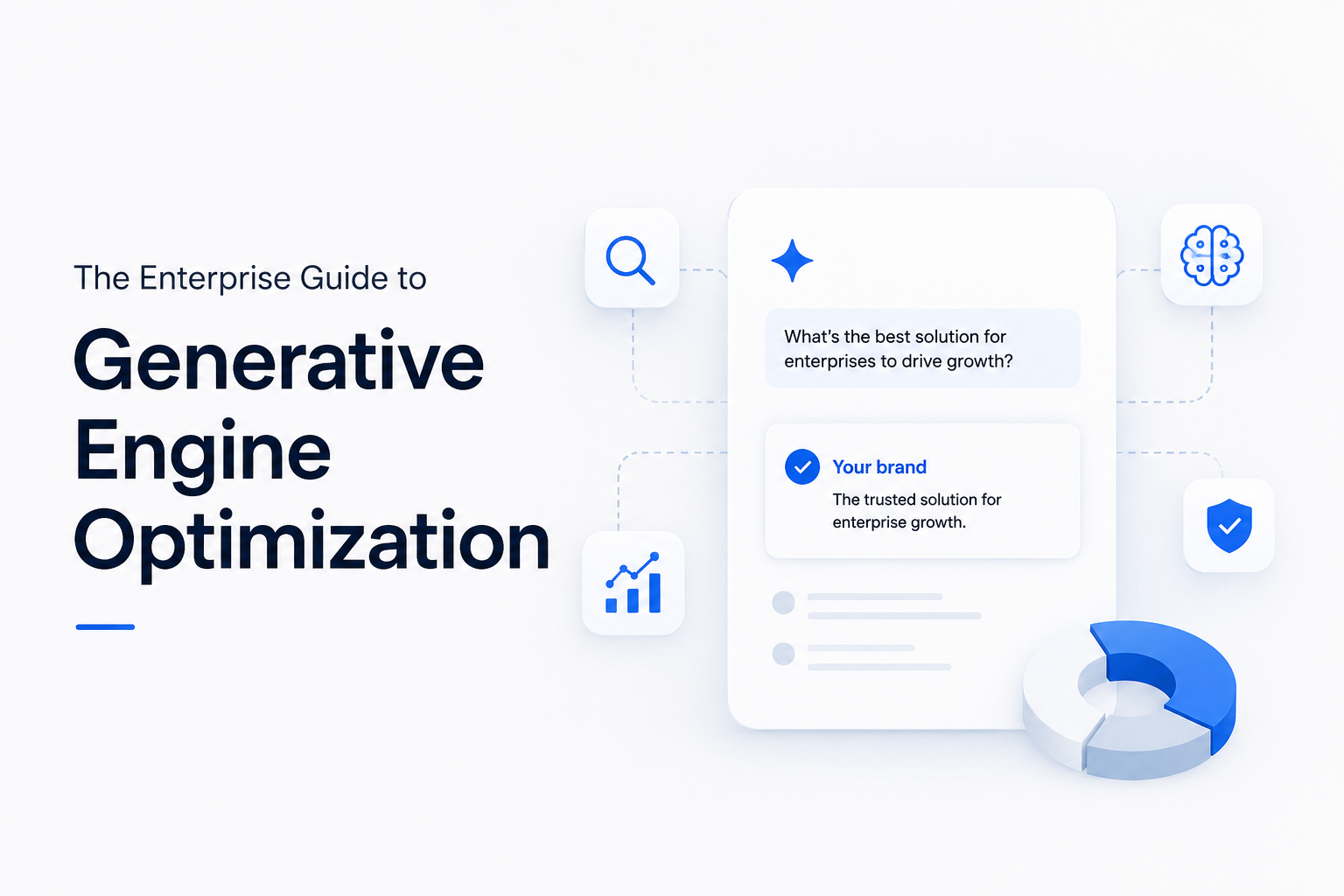
    The confusion starts with a surface-level similarity: both disciplines are about visibility. But the mechanism is completely different, and the difference matters operationally. Whether you call it generative engine optimization or answer engine optimization, the target is the same — earning citations inside AI-generated responses rather than positions in a ranked list of blue links.

    Traditional SEO Answer Engine Optimization (AEO)
    Earns a position in a ranked list of links. The user decides whether to click. You are competing for attention in a results page the user actively scans. Click-through rates at position #1: around 28%. At position #3: closer to 11%. Earns a citation inside a synthesized answer. The AI has already decided what the answer is — your brand either appears in it or does not. There is no position #3. Visibility is effectively binary — you’re cited or you’re absent.

    A strong Google ranking remains the primary driver of AI citation visibility — the majority of cited sources in AI responses draw from top organic results. However, ranking alone does not guarantee that an AI system will extract and cite a specific page’s content; the structure and clarity of the page content also influence whether it gets referenced.

    The space is young enough that thoughtful execution matters more than speed. The core dynamic is straightforward: your well-ranked owned content is the primary driver of AI citation visibility (the RAG pipeline draws predominantly from indexed search results), while third-party coverage on external platforms can expand the range of contexts in which your brand appears. Neither replaces the other — they are complementary.


    The Architecture of AI Visibility

    Three non-negotiable layers. Missing one reduces the impact of the others.

    Pillar I — Content Layer: Semantic Density

    LLMs are trained to retrieve self-contained, definitionally rich answers. A page that raises a question and then defers to another source for context is, from the retrieval model’s perspective, incomplete — and incompleteness is penalized by lower confidence scoring.

    The Princeton/Georgia Tech/Allen Institute peer-reviewed study (KDD 2024, 10,000 queries across 25 domains) tested on-page content mutations — adding statistics, citations, and fluency improvements to existing pages — in a controlled setting. It found measurable improvements:

    – Including statistics: roughly +32% visibility lift

    – Adding citations: roughly +30%

    – Optimizing fluency: roughly +28%

    These numbers reflect the controlled study conditions; real-world results vary based on competition, domain authority, and implementation quality. The study’s scope is limited to on-page content changes and does not address back-end engineering like MCP servers or RAG pipelines.

    The standard:

    – Every page must answer the question it raises without requiring AI to cross-reference external sources for context. Run this filter: could an LLM extract a clean, attributable answer from this page alone?

    – Articles with structured data — hierarchical headings, comparison tables, numbered steps — are 28–40% more likely to be cited by large language models.

    – Content freshness matters: AI systems tend to factor recency into retrieval decisions. A visible “last updated” date and current statistics help signal relevance.

    Pillar II — Brand Layer: Entity Authority

    LLMs reason in entities — brands, products, authors, concepts — not keyword frequencies. Your brand functions as a node in a knowledge graph, and its weight in that graph influences whether it surfaces in retrieval. A 2026 industry snapshot found that 26% of brands had zero mentions in AI Overviews, suggesting gaps in how those brands present themselves as recognizable entities.

    The standard:

    – Schema markup is table stakes. Content with proper schema implementation shows 30–40% higher visibility in AI-generated answers (Dataslayer, 2026).

    – Consistent NAP data and presence in authoritative industry databases are not optional extras — they are the entry ticket to AI retrieval pools.

    – E-E-A-T signals now directly influence which domains generative models choose as sources. Author entities with verifiable credentials outperform anonymous content.

    – When evaluating an approach, verify that entity authority work is part of the plan. A content rewrite without entity grounding produces limited results.

    Pillar III — Trust Layer: Citation Architecture

    Retrieval models assign confidence scores partly based on the web graph. A page that stands in isolation reads as low-confidence. You need to be a central node, not a leaf node — referenced by others, referencing primary sources, and building internal citation chains that demonstrate the authority of your proprietary data.

    According to Semrush’s AI Visibility Index, 40–60% of cited sources in AI responses rotate month over month. Maintaining citations is an active, continuous process — not a one-time optimization.

    The standard:

    – Build explicit citation chains: reference primary data, link to foundational documents, cite your own proprietary research with transparent methodology.

    – Distributing content across multiple publications broadens the contexts in which your brand may be cited.

    – Monitor continuously. Brands with citation monitoring detect drift faster than those without it.


    Where Most Strategies Fail

    Answer engine optimization is an infrastructure challenge, not just a content one.

    True AI visibility requires moving beyond on-page optimization into how your data is structured for machine retrieval. Content rewrites alone produce limited results if the underlying data architecture does not support AI retrieval.

    The MCP Shift — What Your Engineering Team Needs to Understand

    >

    Model Context Protocol (MCP), introduced as an open standard, allows AI agents to connect directly to external data sources. Its primary use case today is internal enterprise AI ecosystems — custom chatbots, support agents, and private AI tools that query your own knowledge base. Public consumer AI engines (ChatGPT, Perplexity, Google Gemini) do not dynamically crawl private MCP endpoints when answering general user queries. They continue to rely on standard web crawlers (GPTBot, Bingbot) and indexed web content. MCP is not a shortcut to bypass search engine ranking — it is a complementary tool for closed-ecosystem integrations.

    RAG pipelines, Knowledge Graph integration, and MCP server architecture bridge marketing and engineering concerns. Organizations with cross-functional teams — a content strategist, a technical SEO architect, and an engineer familiar with retrieval systems — are often better positioned to execute across all three layers.


    Applied ROI — Three Enterprise Cases

    What measurable returns from these approaches look like in practice.

    Business Type Core Problem Intervention Measured Outcome
    B2B SaaS — High CAC, crowded market Buyers using Perplexity for vendor research; brand absent from AI-generated comparisons Full entity architecture rebuild + technical docs structured for MCP and RAG retrieval +340% brand citations in Perplexity (90 days); +28% organic traffic from high-intent AI queries; 60+ new featured snippets (8 weeks)
    Enterprise E-commerce — Product discovery High-margin products absent from generative AI shopping recommendations due to flat product descriptions Semantic density overhaul on category pages + aggressive product schema deployment Direct reduction in dependency on bottom-funnel PPC; AI-referred visitors convert at 4× higher rate than unassisted organic
    Enterprise Support — Knowledge management High Tier-1 ticket volume because AI assistants cannot extract answers from legacy help center Restructured support docs for maximum semantic density with LLM-parseable step-by-step formatting Significant ticket deflection — users ask their AI tool, receive clean accurate answers sourced from the company

    The pattern across all three: the financial return materializes at the intersection of content quality, entity definition, and retrieval architecture. Any single pillar in isolation produces marginal results. The multiplier effect requires all three working simultaneously.


    Priority Sequence: Where to Start

    A suggested ordering based on common industry patterns, not a rigid playbook.

    The sequence below reflects a logical dependency chain — each step builds on the one before it. You may find your organization already has some pieces in place, in which case the ordering will differ.

    Priority 1: Audit & Entity Establishment

    Define your brand as an entity the web can agree on.

    Map your current Knowledge Graph footprint. Audit structured data gaps using Google’s Rich Results Test. Establish or update your author entities with verifiable credentials. Ensure consistent representation across major industry databases. Fix NAP inconsistencies. Document what AI tools currently say about your brand — this is your baseline, and you cannot optimize what you have not measured.

    Priority 2: Semantic Density Overhaul

    Rebuild your highest-value content for LLM retrieval standards.

    Identify your ten highest-traffic legacy pages. Rewrite them to achieve semantic density: definitional clarity, self-contained context, explicit citations, original statistics, and structured formatting (comparison tables, numbered steps, clear hierarchical headings). Add a “What changed in 2026” section to perennial articles — freshness is a ranking signal for AI systems, not just humans. The target: could an LLM extract a complete, attributable answer from this page alone, without cross-referencing anything else? If not, the page has a density problem.

    Priority 3: Pipeline Architecture

    Structure proprietary data for internal enterprise AI tools.

    Engage your engineering team. Identify your highest-value proprietary data assets: product catalogs, technical documentation, pricing matrices, support knowledge bases. Structure these for internal RAG pipeline access and MCP server implementation. This is primarily relevant for closed-ecosystem AI tools — custom chatbots, internal support agents, and private AI assistants that query your own data. For public search visibility, the two prior priorities (entity authority and semantic content density) remain the primary levers.


    On Compounding Effects

    Citation authority can accumulate similarly to how domain authority did in traditional SEO.

    In 2012, brands that invested early in domain authority built positions that later entrants found difficult to replicate. A similar dynamic may apply to AI citation authority, though the landscape is too new for definitive long-term conclusions.

    AI search landscapes evolve through discrete algorithm updates rather than gradual monthly shifts. Sustained investment in content quality and entity structure is more reliable than attempting to race an arbitrary timeline.

    There is also a conversion asymmetry that changes the ROI calculation entirely. AI-referred visitors arrive pre-qualified: they have already received a recommendation from a trusted interface, they arrive with context and intent built in, and they spend nearly twice as long on site as Google referrals (15 minutes vs. 8 minutes, per Seer Interactive). This is structurally different from clicking position three on a search result page. The visitor who arrives from a ChatGPT recommendation is closer to a warm referral than a cold organic click — and your content strategy, landing pages, and conversion architecture should reflect that distinction.


    If there is a single takeaway, it is this: your traditional SEO foundation still matters — 99% of AI Overview citations come from the organic top 10, and 87% of ChatGPT citations map to top Bing results. Ranking well on standard search engines is still the entry ticket. What AEO adds is the layer that determines whether that ranking translates into an AI citation — through entity clarity, semantic density, and a strategic mix of owned and third-party content.

    Build the entity. Earn the citation. Keep your foundations solid. Brands that invest in this sequence create a citation advantage that compounds over time.


    Sources & Verification: Key sources referenced in this article include: OpenAI (ChatGPT user data, February 2026); Gartner VP Analyst Alan Antin (search volume projections, 2024); Princeton/Georgia Tech/Allen Institute for AI/IIT Delhi — “GEO: Generative Engine Optimization,” KDD 2024 peer-reviewed study; Seer Interactive conversion rate analysis (June 2025); Conductor AEO/GEO Benchmarks Report (January 2026, 13,770 domains, 10 industries); Semrush AI Visibility Index (2026); HubSpot 2026 State of Marketing Report. Statistical claims reflect findings as reported under specific study conditions; enterprise results vary by vertical, existing authority, and implementation fidelity.
  • The Ultimate Guide to Incremental Static Regeneration (ISR) in Next.js

    The Ultimate Guide to Incremental Static Regeneration (ISR) in Next.js

    Most teams running large content sites face the same trade-off: full static generation gives you the fastest possible page loads, but rebuilding thousands of pages every time a single post changes becomes slow and expensive. Pure server-side rendering solves the freshness problem but adds latency to every single request. Incremental Static Regeneration (ISR) was built specifically to remove that trade-off, and it’s one of the most practical features in the Next.js rendering toolkit.

    This guide covers what ISR actually does, how the caching model works under the hood, how to implement it in both the Pages Router and the App Router, and the pitfalls that trip up most teams the first time they use it.

    What Is ISR?

    ISR is a hybrid rendering strategy that sits between Static Site Generation (SSG) and Server-Side Rendering (SSR). Pages are generated as static HTML at build time, just like SSG, but instead of staying frozen until the next full deployment, individual pages can be regenerated in the background after a set time interval or on demand, without rebuilding the rest of the site.

    In practice, this means a 10,000-page blog or e-commerce catalog can ship in seconds, while individual pages quietly refresh themselves as their content changes.

    How ISR Works: Stale-While-Revalidate

    ISR follows a stale-while-revalidate model:

    1. The first request for a page is served from the static cache, generated either at build time or on first visit.
    2. Once the page’s revalidate window has passed, the next visitor still receives the cached (now “stale”) version instantly — there’s no waiting on a rebuild.
    3. In the background, Next.js regenerates that page using fresh data.
    4. Once regeneration finishes, the cache is updated, and all subsequent requests receive the new version.

    The key benefit: no visitor ever waits on a regeneration. They either get a fully fresh page or a slightly stale one, never a loading spinner.

    Implementing ISR

    ISR is configured slightly differently depending on which router your project uses.

    Pages Router

    If you’re on the older Pages Router, ISR is configured with the revalidate property inside getStaticProps:

    export async function getStaticProps() {
      const res = await fetch('https://your-api.com/posts');
      const posts = await res.json();
    
      return {
        props: { posts },
        revalidate: 60, // regenerate at most once every 60 seconds
      };
    }
    

    revalidate: 60 doesn’t mean the page rebuilds every 60 seconds on a timer — it means the page becomes eligible for regeneration on the next request that arrives after that window closes.

    App Router

    The App Router (the current standard since Next.js 13+) handles this in one of two ways.

    Route segment config, applied to an entire route:

    // app/blog/[slug]/page.tsx
    export const revalidate = 60;
    
    export default async function Post({ params }) {
      const res = await fetch(`https://your-api.com/posts/${params.slug}`);
      const post = await res.json();
      return <Article post={post} />;
    }
    

    Per-fetch revalidation, applied to a specific data request:

    const res = await fetch('https://your-api.com/posts', {
      next: { revalidate: 60 },
    });
    

    One detail worth knowing: in recent Next.js versions, fetch calls are uncached by default unless you explicitly opt in with next: { revalidate } or cache: 'force-cache'. If your pages aren’t caching the way you expect, this is usually why.

    On-Demand Revalidation

    Time-based revalidation works well for content that changes on a predictable schedule, but it’s not ideal when you need a page to update the instant content changes — for example, the moment an editor publishes a post in a headless WordPress backend. For that, Next.js supports on-demand revalidation via revalidatePath and revalidateTag, typically called from a Route Handler triggered by a CMS webhook:

    // app/api/revalidate/route.ts
    import { revalidatePath } from 'next/cache';
    
    export async function POST(request) {
      const { path } = await request.json();
      revalidatePath(path);
      return Response.json({ revalidated: true });
    }
    

    For a headless WordPress + Next.js stack — the kind of setup used for fast content management paired with a high-performance frontend — wiring a publish webhook to this endpoint means content goes live within seconds, with none of the staleness window that pure time-based ISR introduces.

    ISR vs. SSG vs. SSR vs. CSR

    Strategy Build cost Freshness First-byte speed Best for
    SSG Full rebuild per change Stale until rebuild Fastest Pages that rarely change
    ISR One-time build, incremental updates Near-fresh, configurable Fastest (cached) Large sites with periodic content changes
    SSR None (runs per request) Always fresh Slower (server work per request) Highly dynamic, user-specific content
    CSR None Fresh after JS loads Slow initial render Authenticated dashboards, apps

    Common Pitfalls

    A few mistakes account for most ISR problems in production.

    Setting revalidate too low (a few seconds) on high-traffic pages can effectively turn ISR into SSR, since pages regenerate almost continuously and lose most of the performance benefit.

    ISR requires a Node.js server runtime (such as next start, or hosting on a platform that supports it) — it does not work with a fully static export (output: 'export'), since there’s no server present to handle regeneration requests.

    For dynamic routes generated after build time, the fallback behavior in generateStaticParams (App Router) or getStaticPaths (Pages Router) determines whether new pages are blocked-and-rendered on first request or shown as a loading state — getting this wrong is a common source of confusing first-visit behavior on new content.

    Why This Matters For Your Business

    This isn’t just a detail for developers — it affects how much your website costs to run, how fast it loads for customers, and whether it shows up properly in Google and AI search results.

    Online stores and product catalogs

    Prices, stock levels, and seasonal listings change constantly. With the old approach, updating even one product often meant rebuilding the entire site — slow and expensive once you have thousands of products. This approach updates each product page on its own, so a single price change doesn’t touch anything else. Connected to your inventory system, a stock update can show up on the live site within seconds instead of waiting for the next full site update.

    Blogs, news sites, and content-heavy businesses

    New articles go live instantly without taking the whole site down to rebuild it, while older pages that rarely change keep loading instantly at almost no extra cost. There’s also something many business owners don’t realize: if a site relies too heavily on behind-the-scenes code to display its content, search engines and AI tools like ChatGPT or Google’s AI search may not actually see that content at all. Set up correctly, every visitor — human or search engine — sees the full page right away.

    Marketing pages and lead generation

    Pages built to convert visitors into customers — pricing pages, landing pages, sign-up forms — need to load instantly. Even a one-second delay can measurably hurt how many visitors turn into leads or customers. This approach gives those pages instant load speed, while still letting your marketing team update pricing, offers, or testimonials without waiting on a developer to push a full site update.

    If you’re not sure whether your website is actually set up to support your search rankings and sales goals — rather than just being convenient to build — that’s worth a second look.

    Frequently Asked Questions

    What’s the actual difference between ISR and SSR?

    SSR renders a page from scratch on every single request. ISR serves a cached static page and only regenerates in the background, after a set interval has passed — most visitors never trigger a server render at all.

    Does ISR work with a fully static export?

    No. output: 'export' produces a static site with no server, so there’s nothing to handle background regeneration. ISR needs a running Node.js server or a hosting platform built to support it.

    How do I update a page immediately instead of waiting for the revalidate timer?

    Use on-demand revalidation with revalidatePath or revalidateTag, typically triggered by a webhook from your CMS the moment content is published or edited.

    Can a visitor ever see a broken or half-rendered page during regeneration?

    No. The stale-while-revalidate model always serves either the previous complete version or the new complete version — regeneration happens entirely in the background.

    Does serving a stale page temporarily hurt SEO?

    Not meaningfully. Crawlers see the same fully-rendered static HTML a user would, and the staleness window is typically measured in seconds to minutes, not something that affects indexing or ranking.

    Key Takeaways

    ISR gives you the page-load speed of static generation without forcing a full rebuild every time content changes. Time-based revalidation works well for predictable content; on-demand revalidation is the right call when freshness needs to be near-instant, such as a CMS publish event. The tradeoffs to watch are runtime requirements (no static export), fallback behavior on new dynamic routes, and avoiding revalidate windows so short they erase the performance benefit entirely.

    Need Help Making Sure Your Website Works For Your Business, Not Just Your Developers?

    Every website is different, and the right setup depends on how big your site is, how often things change, and where your traffic comes from. If you’re not sure whether your current website is helping or hurting your search rankings and sales, get in touch through ahsanweb.com for a straightforward review.

    Related Reading

    Conclusion

    ISR isn’t a niche optimization — it’s the practical default for any content site large enough that full rebuilds are a real cost. Used well, paired with on-demand revalidation for time-sensitive content, it closes the gap between static performance and dynamic freshness almost entirely.

  • Stop Hydration Mismatches in Next.js: A Practical Guide to SSR Stability

    Stop Hydration Mismatches in Next.js: A Practical Guide to SSR Stability

    The Misunderstood Middle Step

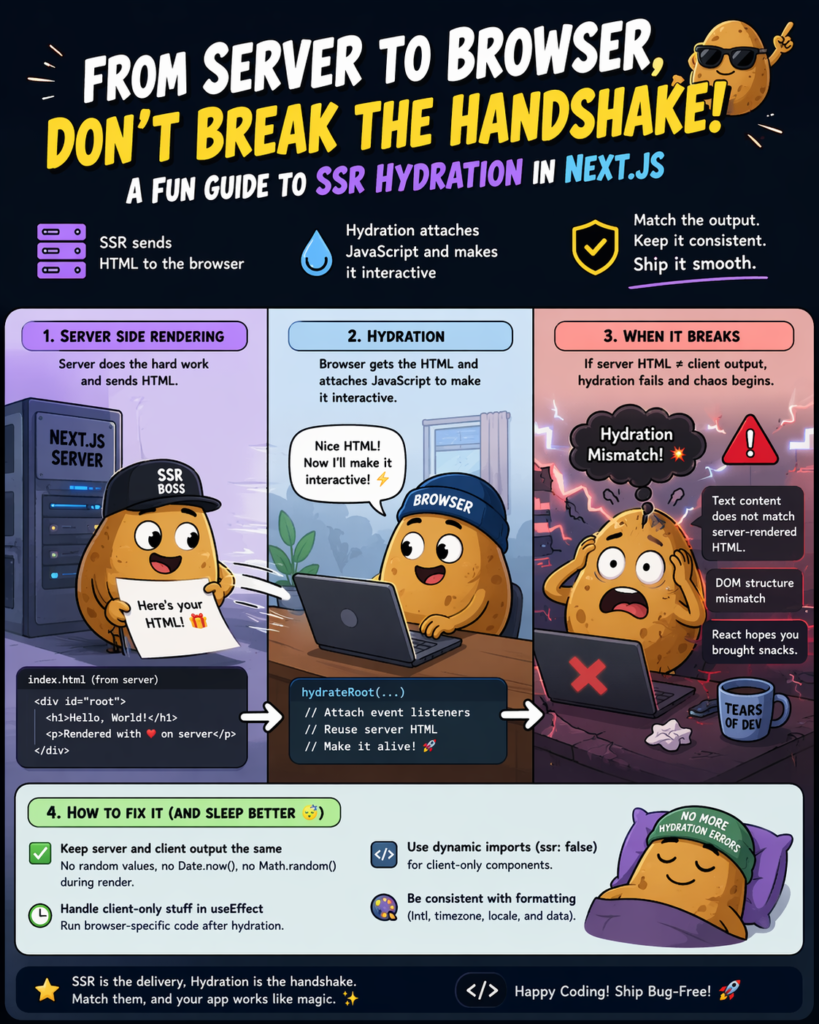
    On the surface, SSR looks simple: the server renders HTML, the browser receives it, and users see content immediately. But between “server renders HTML” and “user can interact with the page,” there’s a critical phase that almost nobody talks about in interviews—and almost everybody gets wrong in production.

    That phase is **hydration**.

    Hydration mismatches are responsible for some of the most frustrating and hard-to-debug performance regressions I’ve encountered. They’re also one of the hidden reasons why technically “SSR’d” sites still fail Core Web Vitals audits.

    > If you haven’t yet read SSR: The Non-Negotiable Standard for SEO Performance.

    What Is Hydration, Exactly?

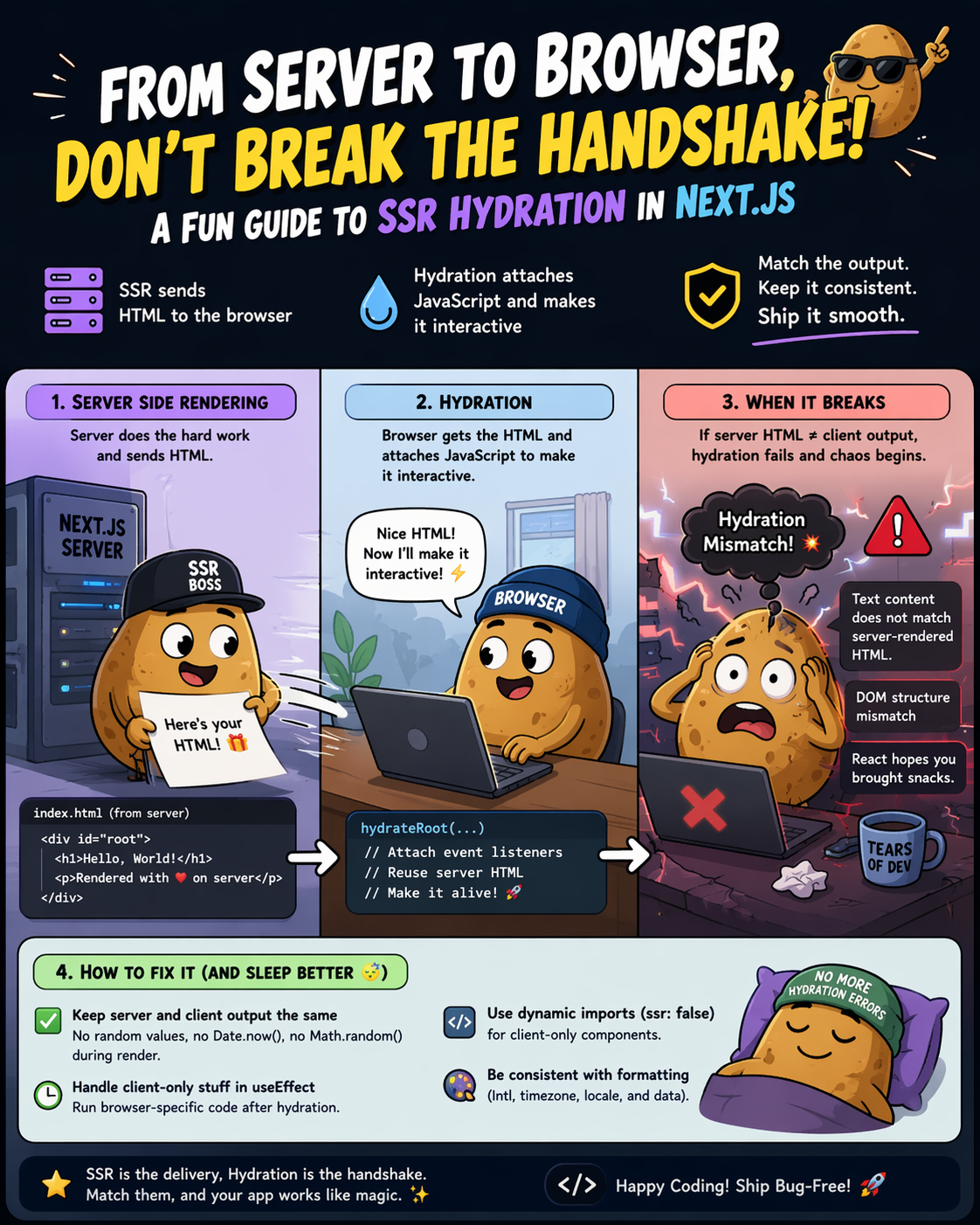
    When Next.js renders a page on the server, it produces a static HTML string and sends it to the browser. That HTML is immediately visible — no JavaScript required to see it.

    But that HTML is inert. It has no event listeners. Clicking a button does nothing. Forms don’t submit. Dropdowns don’t open.

    **Hydration** is the process where React takes that server-rendered HTML and “attaches” the JavaScript to it — making it interactive. React walks the real DOM (the HTML the browser received) and the virtual DOM (what React thinks the page should look like), and reconciles them.

    Server HTML (static) + React runtime = Interactive page

    In Next.js, this happens automatically after the JavaScript bundle is downloaded and parsed.

    Why Hydration Errors Happen

    The most common hydration error message in Next.js looks like this:

    Warning: Text content did not match.

    Server: “Monday, April 14” Client: “Friday, April 17”

    Or the more alarming:

    Error: Hydration failed because the initial UI does not match

    what was rendered on the server.

    These happen when the **server-rendered HTML doesn’t match what React tries to render on the client**. The DOM tree diverges, and React has to throw away the server HTML and re-render from scratch — defeating the entire point of SSR.

    The most common causes:

    1. Date/time-dependent rendering**

    jsx

    ❌ This will always mismatch

    export default function Header() {

    return <p>Today is {new Date().toLocaleDateString()}</p>

    }

    The server renders the date at build/request time. The client renders a different date (or the same date in a different locale). Mismatch.

    2. `Math.random()`or `crypto.randomUUID()`in render**

    jsx

    Different value on server vs client

    const id = Math.random().toString(36).slice(2)

    3. `typeof window !== ‘undefined’`branching**

    jsx

    ❌ Server gets one branch, client gets another during hydration

    const isClient = typeof window !== ‘undefined’

    return isClient ? <BrowserOnlyWidget /> : null

    4. Browser extensions modifying the DOM**

    Ad blockers, password managers, and translation extensions all modify the DOM after the server delivers it. These trigger hydration warnings that are outside your control — but they’ll still pollute your error logs.

    The Performance Consequence: TBT and INP

    Here’s what most SEO guides miss: hydration isn’t just a developer ergonomics issue. It directly affects your **Core Web Vitals**.

    When React detects a hydration mismatch and falls back to client-side rendering, the browser must:

    1. Discard the existing DOM

    2. Re-render the entire component tree in JavaScript

    3. Repaint the page

    This is CPU-intensive work that blocks the main thread. The result is elevated **Total Blocking Time (TBT)** and worse **Interaction to Next Paint (INP)** — both signals uses to evaluate page experience.

    A page that looks fast (quick FCP from SSR) but feels slow (sluggish interactivity from hydration thrashing) will still lose ground in the rankings to a well-hydrated competitor.

    > This is exactly the rendering problem discussed in “SEO for Software Engineers: Moving from Crawlers to Generative AI. Crawler has grown sophisticated enough to evaluate interactivity, not just initial render speed.

    How to Fix Hydration Issues in Next.js

    Fix 1: `suppressHydrationWarning`for unavoidable mismatches

    For content that genuinely must differ between server and client (like timestamps), suppress the warning at the element level:

    jsx

    <time suppressHydrationWarning>

    {new Date().toLocaleDateString()}

    </time>

    Use this sparingly. It tells React “I know this will mismatch, skip checking this element.” Overusing it defeats the purpose of SSR.

    Fix 2: `useEffect`for browser-only content

    jsx

    import { useState, useEffect } from ‘react’

    export default function ClientDate() {

    const [date, setDate] = useState<string | null>(null)

    useEffect(() => {

    setDate(new Date().toLocaleDateString())

    }, [])

    return <time>{date ?? ‘Loading…’}</time>

    }

    The server renders `null` (or a skeleton). The client fills it in after mount. No mismatch.

    Fix 3: `dynamic()`with `ssr: false`for fully client-side components

    jsx

    import dynamic from ‘next/dynamic’

    const BrowserOnlyChart = dynamic(

    () => import(‘../components/Chart’),

    { ssr: false }

    )

    This tells Next.js to skip rendering this component on the server entirely. It will only hydrate on the client. Ideal for components that use `window`, `document`, canvas, or WebGL.

    Fix 4: Stable IDs with `useId()`

    React 18 introduced `useId()` specifically to generate stable, consistent IDs that match between server and client:

    jsx

    import { useId } from ‘react’

    export default function FormField() {

    const id = useId()

    return (

    <>

    <label htmlFor={id}>Email</label>

    <input id={id} type=”email” />

    </>

    )

    }

    Never use `Math.random()` for IDs in rendered output.

    Partial Hydration: The Next Frontier

    Next.js 13+ with the App Router introduces **React Server Components (RSC)** — a model where some components never hydrate at all. They’re rendered on the server and sent as static HTML with zero JavaScript footprint on the client.

    jsx

    app/page.tsx — This is a Server Component by default

    // It renders on the server, sends HTML, adds NO JS to the bundle

    export default async function Page() {

    const data = await fetch(‘https://api.example.com/posts’)

    const posts = await data.json()

    return <PostList posts={posts} />

    }

    The shift is significant: instead of “SSR everything, hydrate everything,” the new model is “SSR everything, hydrate only what needs interactivity.”

    For SEO, this is transformative. Pages become genuinely lighter — less JavaScript means faster parse time, lower TBT, and better Lighthouse scores — all without sacrificing content visibility for crawlers.

    > For a deeper look at how these rendering strategies affect crawler behavior, see JavaScript SEO: How Search Engine Crawls & Renders JS-Heavy Sites.

    # Checklist: Hydration-Safe Next.js Development

    – [ ] No `Math.random()` or `Date.now()` in JSX render paths

    – [ ] All browser-only APIs wrapped in `useEffect` or guarded with `dynamic({ ssr: false })`

    – [ ] `useId()` used for all generated DOM IDs

    – [ ] `suppressHydrationWarning` used only on genuinely unavoidable mismatches

    – [ ] React 18 App Router adopted for new projects (Server Components by default)

    – [ ] Hydration errors monitored in production (Sentry, Datadog, or `window.onerror`)

    – [ ] Core Web Vitals measured after hydration — not just after FCP

    Summary

    Hydration gets your page interactive for users. Getting hydration wrong means you get the worst of both worlds: the infrastructure cost of SSR with the performance profile of CSR.

    The fix isn’t complicated, but it requires deliberate attention to the boundary between server and client state. Once you internalize that boundary, hydration errors become easy to spot and prevent before they ever reach production — and your Core Web Vitals scores will reflect it.

    FAQ: SSR Hydration in Next.js

    What is hydration in Next.js?

    Hydration is the process where React attaches JavaScript to server-rendered HTML, making the page interactive in the browser. Without hydration, the HTML is static and cannot respond to user actions.


    Why do hydration mismatches happen?

    Hydration mismatches occur when the HTML generated on the server differs from what React renders on the client. Common causes include dynamic values like dates, random numbers, or conditional rendering based on browser-only APIs.


    Are hydration errors bad for SEO?

    Yes—indirectly. Hydration errors can lead to unnecessary client-side re-rendering, which increases Total Blocking Time (TBT) and negatively impacts Core Web Vitals, affecting search rankings.

  • How the Model Context Protocol (MCP) Unlocks Real Business Value in AI

    How the Model Context Protocol (MCP) Unlocks Real Business Value in AI


    To make AI truly valuable—to turn it into an autonomous agent that can analyze your private data, manage your inventory, or automate your workflows—it needs to connect securely to your company’s internal tools and databases. Until recently, building those connections was an expensive, slow, and highly technical nightmare.

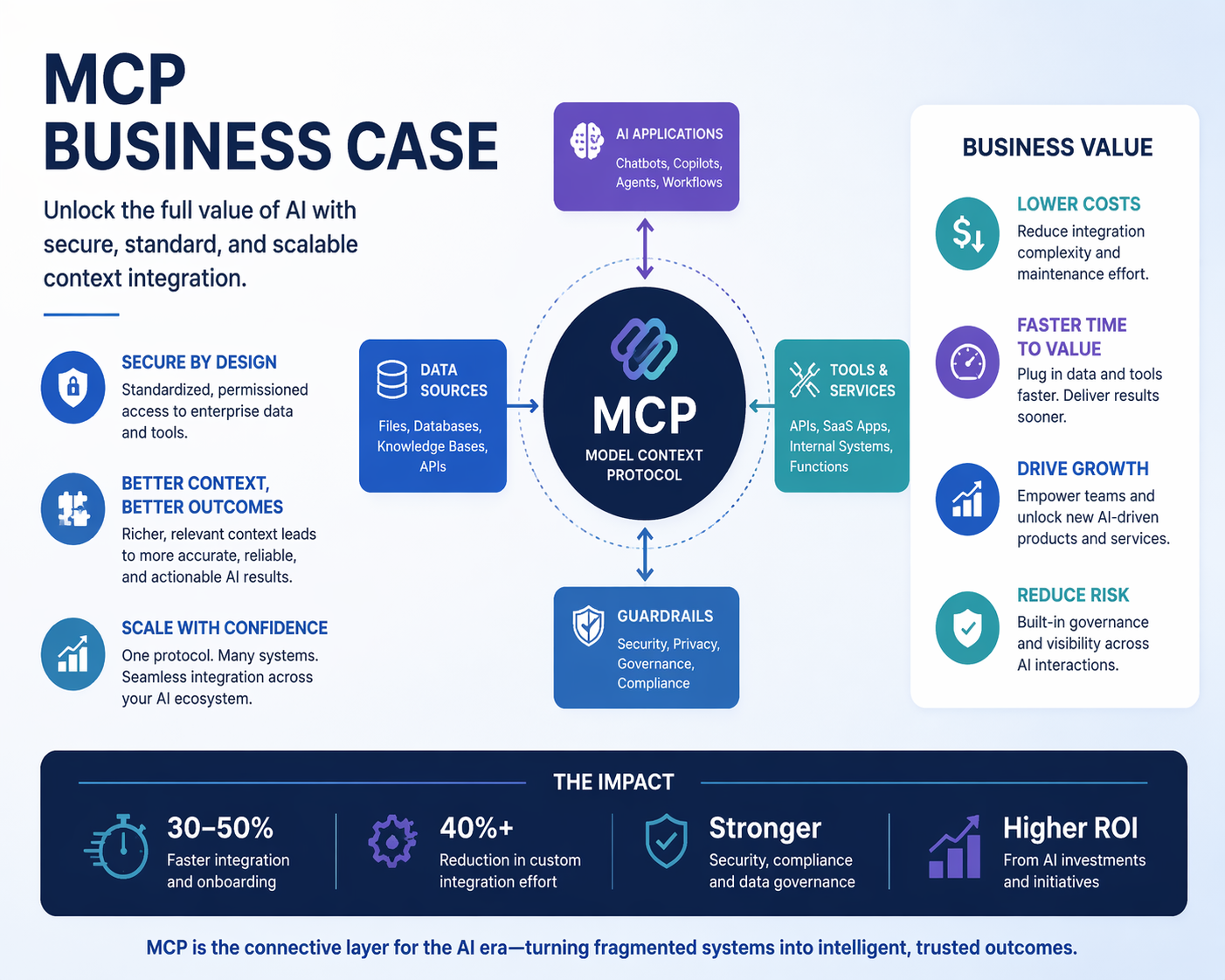
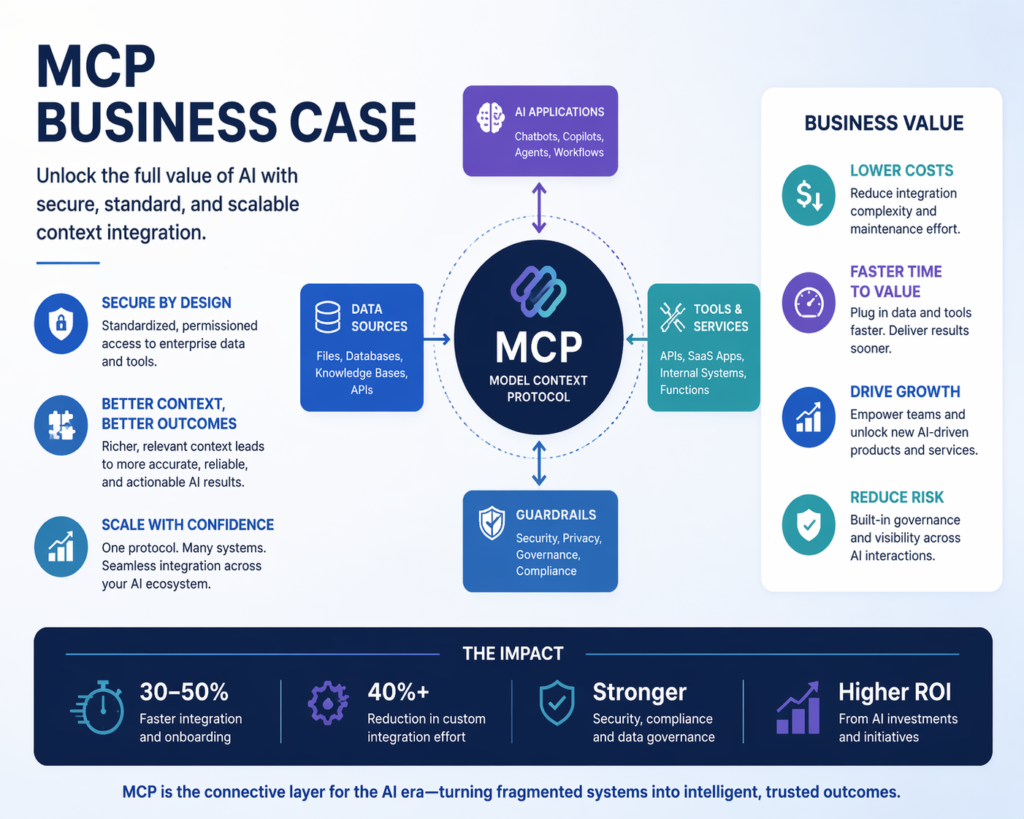
    MCP Business Case

    Enter the Model Context Protocol (MCP): a revolutionary new open-source standard that is fundamentally changing how businesses integrate and scale AI.

    The Costly “Integration Bottleneck”

    As an AI Architect working with enterprise clients, I see the same problem repeatedly. A business wants an AI system that can read their live sales data, search through their secure company documents, and automatically update project management tools.

    Previously, achieving this meant we had to build expensive, custom software integrations tied strictly to one specific AI model (like OpenAI or Anthropic). If the company later decided to switch to a newer, cheaper, or faster AI model, all of that costly integration work had to be thrown out and rebuilt from scratch. We were spending more budget on “plumbing” than on actually generating business value.

    What is the Model Context Protocol (MCP)?

    Created by Anthropic (the makers of Claude) and open-sourced for the world, MCP is the solution to this problem. Think of it as the “USB-C cable for AI.”

    Just as USB-C allows you to use the same single cable to connect a monitor, a laptop, or a smartphone, regardless of the brand, MCP provides a universal, standardized way for any AI to securely connect to your business data.

    Instead of paying developers to build deep, fragile connections to specific AI vendors, we simply build an MCP Server for your business. Once that server is built, any modern AI application can plug into it instantly.

    The Real Business Benefits of MCP

    For our clients and enterprise partners, moving to an MCP-based AI architecture delivers massive, immediate ROI:

    1. Enterprise Security and Ultimate Data Privacy

    Security is the number one concern for businesses adopting AI. They fear uploading sensitive corporate data to a public cloud. MCP solves this elegantly.

    An MCP Server can run entirely on your private, secure local network. The AI simply requests the specific answers it needs, and your server grants it access only to the data you permit. Your full database never leaves your secure environment, giving you absolute control over your intellectual property.

    2. Zero Vendor Lock-in (Future-Proofing Your Investment)

    The AI landscape is moving at lightning speed. The best AI model today might be obsolete in six months. By adopting the MCP standard, your business is instantly insulated from vendor lock-in. An integration built today to securely query your CRM can be used by Anthropic today, OpenAI tomorrow, and an entirely new AI startup next year—without rewriting a single line of code.

    3. Eliminating “Hallucinations”

    AI models “hallucinate” (make things up) when they lack facts. MCP allows your AI agents to dynamically pull live, verified facts directly from your business software in real time during a conversation. Because the AI is grounded in your actual, up-to-the-second data, accuracy skyrockets and hallucinations disappear.

    The Future is Seamlessly Connected AI

    We are already seeing an explosion of ready-made MCP connections for tools like Google Drive, Slack, Postgres databases, and GitHub. But the true magic happens when we build custom MCP integrations tailored specifically to your proprietary business data.

    For enterprise leaders and business owners, the directive is clear: stop paying for brittle, vendor-locked AI integrations. By standardizing your AI infrastructure around the Model Context Protocol, you are laying down the tracks for truly autonomous, highly secure, and incredibly powerful Agentic AI.


    Frequently Asked Questions (FAQ)

    What does MCP mean for my current AI investments?

    If you are already investing in AI, shifting your architecture to use MCP protects your investment. It ensures that the tools and data pipelines you build today won’t need to be rebuilt when you inevitably upgrade your AI models in the future.

    Is my business data safe with MCP?

    Yes, arguably safer than traditional methods. Unlike uploading spreadsheets to ChatGPT or Claude where your data leaves your network, your MCP Server acts as a tightly controlled gateway. The AI only “sees” the specific, limited pieces of data it is explicitly granted permission to view by your server.

    Do I need to be using Anthropic’s Claude to use MCP?

    No. While Anthropic introduced the standard, it is completely open-source. A rapidly growing number of AI applications, developer tools, and agent frameworks support MCP, making it a universal standard.

    How does this lower my software development costs?

    Because MCP standardizes how AI talks to databases and APIs, developers only have to write the connection once. They are no longer maintaining multiple different versions of the same integration for different AI vendors, dramatically reducing development and maintenance costs.

  • SSR: The Non-Negotiable Standard for SEO Performance

    SSR: The Non-Negotiable Standard for SEO Performance


    ⚡ The Cost of “Client-Side Only”

    In my career—from REEA Digital to SerpCat and now MonsterClaw—I’ve seen one mistake repeated more than any other: relying on Client-Side Rendering (CSR) for searchable content.

    If your website is just a “blank shell” that waits for JavaScript to load before showing any text, you are gambling with your SEO. While Google can render JS, it does so in a second wave of indexing that can take days or weeks. For enterprise-level SEO, that delay is a death sentence.


    🏗️ Why SSR is No Longer Optional in 2026

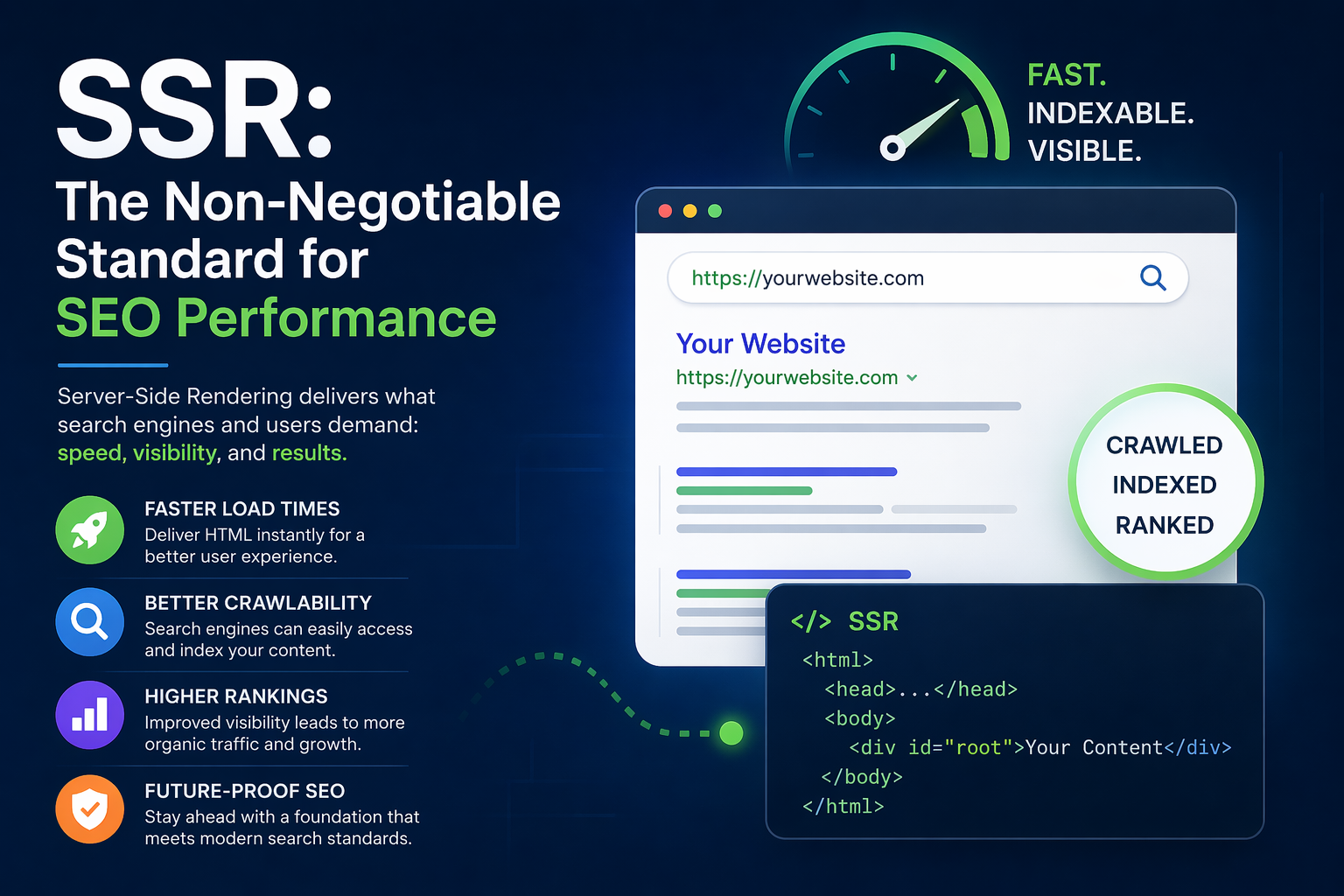
    Server-Side Rendering (SSR) means the server does the heavy lifting. When a crawler (or an AI agent) arrives, it receives a fully-formed HTML document.

    The Benefits:

    • Instant Indexing: No “waiting for JS.” All your headers, links, and content are visible on the first pass.
    • Higher Pass Rates for Core Web Vitals: Your Largest Contentful Paint (LCP) is significantly faster when the browser doesn’t have to download, parse, and execute a 2MB JS bundle just to show antag.
    • AI Citations: Large Language Models (LLMs) used for RAG pipelines often prefer clean, semantic HTML over raw JS dumps.

    🛠️ The Headless Advantage with Next.js 14

    In my recent builds, I use a Headless WordPress + Next.js stack. This gives us the best of both worlds:

    1. WordPress: Easy content management for the team.
    2. Next.js (SSR): A high-performance frontend that delivers pre-rendered HTML to the user.

    By using the Next.js App Router, I can ensure that critical sections (like the Blog and AI Projects) are rendered on the server, while interactive elements (like the 3D backgrounds) are hydrated on the client.


    🏁 Final Verdict

    If you care about rankings, visibility, and user experience, you cannot ignore SSR. Don’t build “heavy” websites—build “smart” ones. Let the server do its job so the search engines can do theirs.


    ❓ FAQ: Server-Side Rendering

    Q: Doesn’t SSR use more server resources?
    A: Yes, but the trade-off in SEO value and user retention (due to faster load speeds) far outweighs the marginal increase in hosting costs.

    Q: Can I mix SSR and CSR?
    A: Absolutely. Modern frameworks like Next.js allow for “Partial Prerendering,” where the shell of the page is static/SSR, but interactive components load on the client.

    Q: Is SSR just for big sites?
    A: No. Even a small portfolio benefits. A fast, SSR-powered site tells Google you are a professional who prioritizes accessibility and performance.


  • SEO for Software Engineers: Moving from Crawlers to Generative AI

    SEO for Software Engineers: Moving from Crawlers to Generative AI

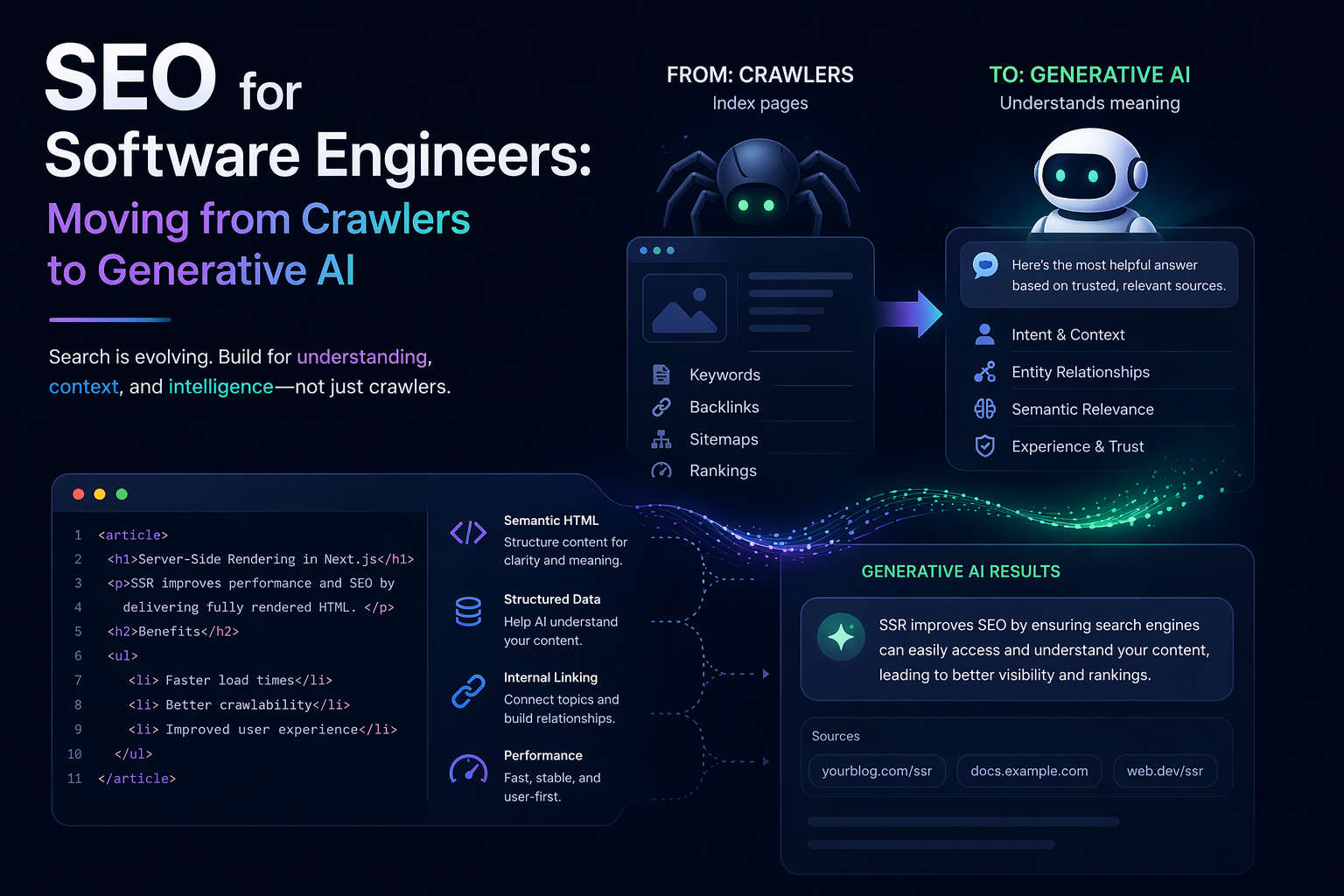
    A few years ago, the conversation around “SEO for software engineers” was simple: fix your robots.txt, ensure your URLs are canonical, and don’t break the sitemap.

    But as I sit at the intersection of AI Architecture and Technical SEO today, the landscape has fundamentally shifted. Having served as a Technical SEO Specialist at both REEA Digital Limited and SerpCat, and now leading strategies at MonsterClaw LLC, I’ve seen this evolution firsthand. We aren’t just optimizing for a crawler anymore — we are optimizing for Generative Engines.

    In a world where ChatGPT, Perplexity, and Gemini are the primary discovery layers, the Technical SEO of yesterday is now the Information Architecture of tomorrow.


    🏗️ The Foundation: Why Engineers Are the New SEO Architects

    Ben Hoyt once noted that SEO is often seen as a “marketing thing.” At MonsterClaw, we view it as a performance thing.

    If your Next.js application isn’t delivering pre-rendered HTML, you’re creating unnecessary friction. Yes, Google can render JavaScript — but why force a billion-dollar crawler to spend its expensive crawl budget on heavy bundles when you can deliver clean, structured HTML on the first response?

    The Rule: For a modern engineer, SEO isn’t about keywords — it’s about reducing friction for the crawler.

    ⚠️ The Architectural Caveat

    “Reducing friction” does not mean blindly choosing SSR for everything. SSR shifts rendering load from the client’s browser to your servers. For high-traffic enterprise applications, this means scaling server compute costs and managing edge-caching aggressively.

    Furthermore, a fast First Contentful Paint (FCP) is meaningless if your client-side hydration scripts freeze the main thread and spike your Interaction to Next Paint (INP). True engineering excellence means balancing pre-rendering with execution cost — not dogmatically defaulting to SSR because it sounds right.


    🛠️ Core Checklist for Technical Excellence

    1. SSR & Hydration Strategy

    Use Next.js 14+ with App Router. Target an FCP under 1.2s — but don’t stop there. Pair your SSR setup with partial hydration or streaming architectures to keep INP low.

    A page that looks loaded but doesn’t respond to user clicks is a failure in both UX and Core Web Vitals. Rendering strategy isn’t a binary SSR/CSR choice; it’s a spectrum of hydration granularity that must be tuned per component.

    2. Structured Data (JSON-LD)

    This is no longer optional. Schema is the API we provide to search engines and AI systems.

    If you aren’t using Person, FAQPage, and SoftwareApplication markup, you’re leaving the interpretation of your content to chance. AI engines rely on structured data far more heavily than traditional crawlers — if your entities aren’t declared, the AI cannot establish your authority.

    3. The “Cached-Dynamic” Sitemap

    A purely static, manually managed sitemap.xml is dead — but the opposite extreme is also a trap.

    Generating a completely live dynamic sitemap on every single crawler request can introduce massive database latency on enterprise sites with millions of nodes. The sweet spot: a headless bridge leveraging ISR (Incremental Static Regeneration) or Redis/edge caching to keep sitemaps near real-time without hammering your production databases.

    Real-time accuracy without server cost — that is the engineering target.


    🚀 The Next Frontier: GEO (Generative Engine Optimization)

    This is where the discipline of AI Architecture intersects with SEO. Traditional SEO focuses on ranking. GEO focuses on citation.

    When an LLM synthesizes an answer, it looks for high-authority, well-structured content it can confidently reference. To design for AI discovery, you need two things:

    1. Semantic Density Structure content so that an embedding model can cleanly vectorize it. Short, self-contained sections with declarative headings outperform long narrative prose for AI extraction.

    2. Knowledge Graph Integration Connect your entities — People, Projects, Brands — using schema so LLMs recognize you as a trustworthy, authoritative source within your domain.


    ⚖️ The GEO Paradox: The Threat of Zero-Click Searches

    As technical architects, we must recognize a systemic risk in optimizing too perfectly for LLMs.

    If we structure our JSON-LD and semantic data so precisely that an AI engine like Gemini or Perplexity can synthesize and display our full value proposition directly within its UI — the user has no reason to click through to our site. This is where engineering discipline collides with marketing reality.

    The future of GEO isn’t simply about making data easily extractable. It’s about structuring data so that AI engines treat you as the definitive citation, while intentionally designing information loops that compel the user to click the source link for full utility.

    Optimize to be cited. Design to be visited.


    🏁 Bridging the Gap

    At the end of the day, a fast site is a searchable site. Whether you’re building RAG pipelines or optimizing an enterprise WordPress stack.

    SEO is a technical discipline masked as a marketing goal.

    The engineers who internalize this will build systems that compound their visibility over time — not just in Google, but in every AI layer that sits on top of it.


    ❓ FAQ: SEO for Software Engineers

    Q: Does Google struggle with client-side React? Google can crawl it, but rendering is delayed and expensive. SSR guarantees indexation on the first crawl pass. More precisely: Googlebot’s two-wave rendering system is capable of executing modern JavaScript, but rendering queues introduce an indexing delay. For fast-moving content — news, shifting inventory, time-sensitive pages — SSR ensures the first wave delivers complete content, not a shell.

    Q: Does Google struggle if we don’t use SSR? Not technically. The problem isn’t that Google can’t see client-rendered sites — it’s the indexing delay. For evergreen content, that delay may be acceptable. For content where freshness is a ranking or citation signal, SSR removes the risk entirely.

    Q: What is the most important tag for an engineer to manage? The <link rel="canonical">. It prevents duplicate content issues that split ranking power across multiple URLs — a problem that compounds at scale and is almost invisible until it costs you.

    Q: How does AI change Technical SEO? AI engines like Gemini and ChatGPT rely on structured data (JSON-LD) far more than traditional crawlers do. If your entities aren’t explicitly declared, the AI has no reliable way to establish your authority — it will either guess, attribute incorrectly, or skip your content entirely.

    Q: Why use Headless WordPress for SEO? It gives you the best of both worlds: the editorial workflow of WordPress and the performance and DOM control of a Next.js frontend. Content teams stay productive; engineering teams retain full control over rendering, schema, and Core Web Vitals.