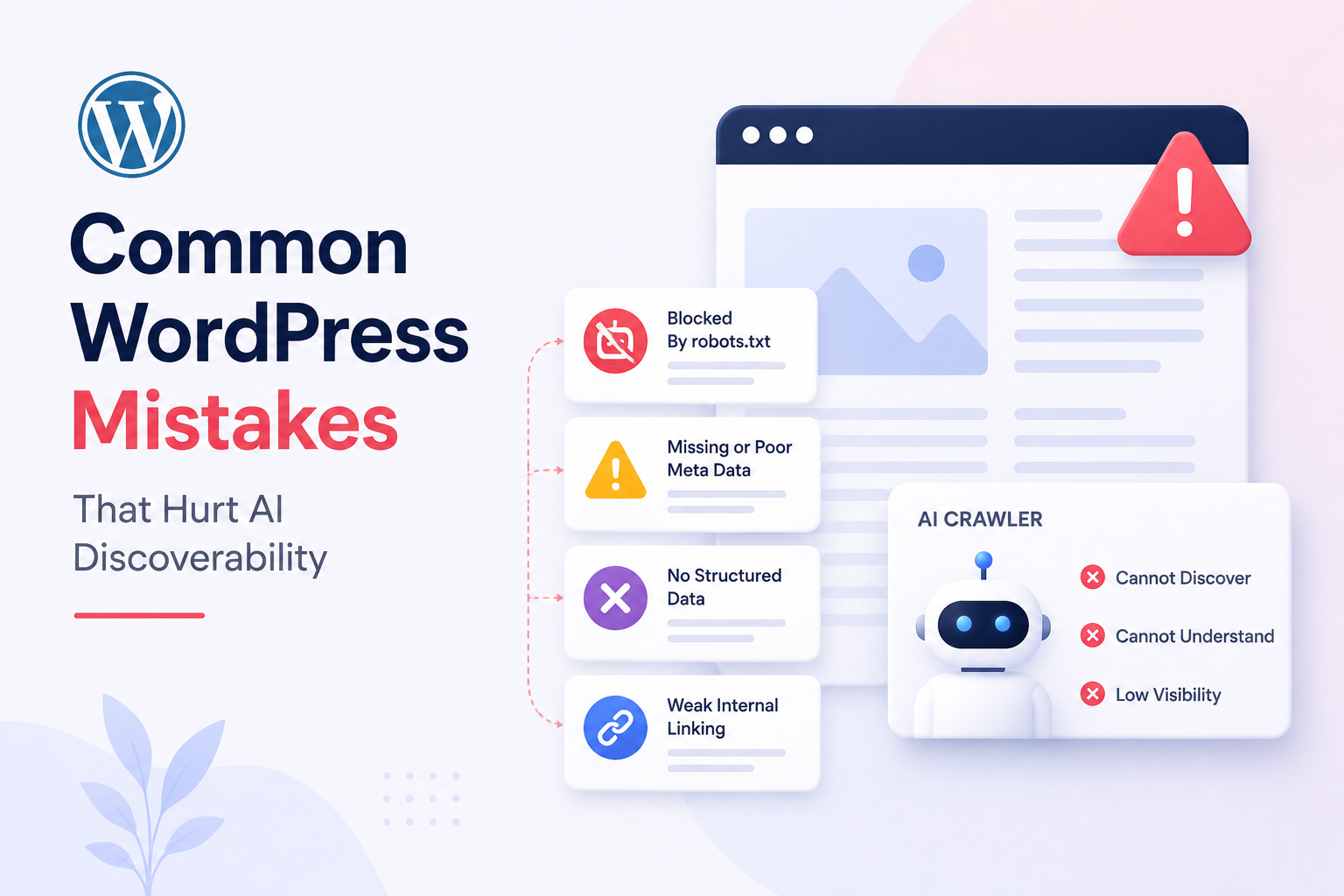
WordPress’s default configuration is AI-friendly. That is one of its most underappreciated advantages — PHP-based server rendering, automatic sitemaps, semantic heading structure, and plugin-generated schema all work in your favor out of the box.
The problem is that most WordPress sites don’t stay close to their defaults for long. Plugins accumulate. Page builders replace the block editor. Schema gets installed and never validated. Content gets published at volume without depth. Each decision feels reasonable at the time, and each one quietly degrades the AI discoverability of the site.
This article maps the most common WordPress mistakes that hurt AI search visibility — not as abstract warnings but as specific, diagnosable patterns with concrete fixes. Work through each section as a diagnostic: if the mistake describes your site, the fix tells you exactly what to do about it.
Mistake 1: Poor Content Structure
What AI Systems Need From Content Structure
AI crawlers extract meaning from HTML hierarchy. When PerplexityBot or GPTBot reads a page, it processes the heading structure as a content map: the H1 declares the primary topic, H2s mark the major sections, H3s mark the subsections within each. This hierarchy tells the AI system where each answer begins and ends — which sections to extract for which queries.
When that hierarchy is broken, the AI system’s ability to accurately extract and cite content degrades. A page where all the headings are H2s — regardless of their actual content relationship — provides no structural guidance. A page with no subheadings at all is a block of undifferentiated text that an AI system cannot parse into distinct citable answers.
The Most Common Structure Mistakes
Multiple H1 tags. Every page should have exactly one H1 — the primary topic of the page. Some themes render the site name, the post title, and a hero headline all as H1s. Some page builders let editors add H1 blocks wherever they want. The result is a page with three H1s that tells crawlers the page is about three different primary topics simultaneously.
Heading tags used for visual styling. The block editor makes it easy to add a Heading block set to H2 or H3 whenever you want text to look larger. But an H2 that says “Here’s What We Offer” inside a service description block is not a section heading — it is a styled label. AI systems treat it as a section heading anyway, and the false structural signals degrade topic comprehension.
Walls of text with no subheadings. A 2,000-word article written as continuous paragraphs under a single H1 with no H2 sections is structurally invisible to AI systems. There are no landmarks that tell the crawler where the answer to “what is X” ends and the answer to “how do I do Y” begins.
Skipping heading levels. Jumping from H2 to H4, or using H3 before establishing an H2 parent, breaks the hierarchy that crawlers use to understand parent-child content relationships.
The Fix
Every published page should satisfy this structure check before going live:
- One H1 per page, matching the primary topic
- H2s for every major section — aim for one H2 per distinct question or topic the page addresses
- H3s for subsections within H2 sections, used only where the content genuinely subdivides
- No heading tags for visual purposes — use bold text or styled paragraph blocks instead
- No heading levels skipped
The quickest way to audit your existing content: install the free Accessibility Checker plugin or use the Outline view in the block editor’s document settings panel. Both show the full heading hierarchy at a glance. Any page with multiple H1s or a chaotic heading sequence needs a structural revision before it can compete for AI citations.
Mistake 2: Missing or Broken Schema
Why Schema Matters More for AI Than for Google
For Google, schema markup enhances search results with rich snippets — star ratings, FAQ accordions, recipe cards. Missing schema costs you the visual enhancement but doesn’t necessarily cost you the ranking.
For AI search systems, schema serves a different and more fundamental function. It provides explicit, machine-readable metadata that tells the AI system exactly what type of content this is, who wrote it, when it was published, what questions it answers, and how the content is structured. Without schema, the AI system has to infer all of this from the content itself — and inference is less reliable than explicit declaration.
A page with complete, accurate Article schema, FAQPage schema on its Q&A section, and Author schema with verifiable credentials gives AI systems a confident foundation for citation. A page with no schema forces the AI system to guess — and it may guess wrong, cite the content inaccurately, or skip it in favor of a more explicitly structured source.
The Most Common Schema Mistakes
Relying on theme-generated schema without verifying it. Many WordPress themes add schema markup in their code, but theme schema is often incomplete, outdated, or incorrect. A theme might add @type: WebSite on every page regardless of content type, or generate Article schema without the required author and datePublished fields. You cannot see this by reading your page in a browser — you have to inspect the HTML source or run it through a validator.
Not implementing FAQPage schema on pages with FAQ sections. FAQPage schema is the highest-value schema type for AI citation — it explicitly marks up question-and-answer pairs that AI systems can extract and use directly in generated responses. Every page on your site that has a questions-and-answers section and no FAQPage schema is leaving citation opportunities on the table. In Rank Math, this is a single click: add a FAQ block, fill in the questions and answers, and the schema is generated automatically.
Schema errors left unresolved. Google Search Console’s Enhancements section shows schema errors and warnings across your site. Many sites have had the same schema errors for months or years without ever fixing them. Schema with errors provides zero benefit — broken structured data is not used by search engines or AI systems. It is actively worse than no schema, because it signals that the site’s technical hygiene is poor.
Missing author schema. Author E-E-A-T signals are increasingly important for AI citation decisions. A page whose author has no Person schema, no author bio, and no links to external profiles (LinkedIn, Twitter, professional publications) provides no verifiable credibility signal. AI systems trained on the web recognize entities — people, organizations, publications — that have been consistently mentioned across credible sources. An anonymous page is harder to trust than a page clearly attributed to a verifiable expert.
Duplicate or conflicting schema. Using both Yoast SEO and Rank Math simultaneously — a surprisingly common mistake on sites that switched plugins without fully removing the old one — produces duplicate schema blocks that conflict with each other. AI systems receiving two different @type: Article declarations for the same page may reject both.
The Fix
Immediate actions:
- Run every key page through Google’s Rich Results Test. Fix every error before moving on to anything else.
- Check Google Search Console → Enhancements for site-wide schema errors. Prioritize by error count and page importance.
- Confirm you are running exactly one SEO plugin — Rank Math or Yoast, not both.
Schema implementation by content type:
| Page Type | Required Schema | Recommended Addition |
|---|---|---|
| Blog posts | Article + Author | FAQPage (if FAQ section exists) |
| Homepage | Organization + WebSite | |
| All pages | BreadcrumbList | |
| How-to guides | HowTo | FAQPage |
| Service pages | Service | FAQPage |
| Author bios | Person |
For author schema, create a dedicated author page for each contributor. In Rank Math, enable Author Schema under Titles & Meta → Author Archive. Add a complete bio, upload a photo, and use the sameAs field to link to the author’s LinkedIn, Twitter, and any publication profiles. This is the minimum E-E-A-T signal for AI citation.
Mistake 3: Slow Performance Degrading Crawlability
How Performance Affects AI Discoverability
Slow pages have a direct and underappreciated impact on AI discoverability — for two distinct reasons.
First, crawl efficiency. AI retrieval crawlers like OAI-SearchBot and PerplexityBot operate in near real time. When a user submits a query, the retrieval system fetches relevant pages within a tight time window. A page that takes 4 seconds to respond may time out before the crawler completes the fetch. The page is simply not included in the answer — not because the content is irrelevant, but because it did not respond fast enough.
Second, Google crawl prioritization. Google’s crawl budget allocation is influenced by page speed. Fast-loading pages get crawled more frequently and more completely. Slow pages get crawled less often, which means content updates take longer to reach the index, freshness signals degrade, and the overall crawl coverage of the site diminishes.
The Most Common Performance Mistakes
Page builders as the content layer. Elementor, Divi, and WPBakery are the most common source of WordPress performance problems. Each renders HTML through a JavaScript rendering layer that adds hundreds of kilobytes of CSS and JavaScript to every page — even pages that don’t use any dynamic features. A typical Elementor page loads 500–800KB of framework assets before delivering any content. A lightweight theme with Gutenberg blocks delivers the same visual result at 50–80KB.
No server-side caching. Without a caching layer, every page request triggers PHP execution and database queries. On a shared hosting plan, this can mean TTFB over 2 seconds before any content is delivered. AI retrieval crawlers hitting an uncached WordPress site during a high-traffic period may consistently time out.
Unoptimized images. Large uncompressed images are the most common cause of poor Largest Contentful Paint (LCP) scores. A hero image at 3MB that hasn’t been converted to WebP and lacks explicit width and height attributes is both a Core Web Vitals failure and a crawler friction point — the crawler must wait for the full response before it can complete parsing.
Render-blocking scripts in <head>. Third-party scripts — analytics, chat widgets, advertising tags, heatmap tools — loaded synchronously in the <head> block HTML parsing until the script downloads and executes. Every millisecond of blocking adds to TTFB and reduces the crawling efficiency of every bot that visits the page.
The Fix
Minimum viable performance stack for WordPress:
- Page caching: WP Rocket or LiteSpeed Cache — pre-built HTML served without PHP/database overhead. This alone typically cuts TTFB by 60–80%.
- Object caching: Redis or Memcached for database query results — available on most managed WordPress hosts (WP Engine, Kinsta, Cloudflare) at no extra cost.
- CDN: Cloudflare (free tier) for static asset delivery from edge nodes globally. Reduces asset load time for international crawlers.
- Image optimization: ShortPixel or Imagify for compression and WebP conversion. Add explicit
widthandheightattributes to all images to eliminate layout shift.
Target metrics before considering yourself performance-optimized:
| Metric | Target | Tool to Measure |
|---|---|---|
| Time to First Byte (TTFB) | Under 200ms (cached) | GTmetrix, WebPageTest |
| Largest Contentful Paint | Under 2.5s on mobile | PageSpeed Insights |
| Cumulative Layout Shift | Under 0.1 | PageSpeed Insights |
| Total page weight | Under 500KB | GTmetrix |
If your site fails any of these on mobile with a throttled connection, AI retrieval crawlers on congested networks are experiencing worse conditions than your test environment shows.
Mistake 4: Plugin Bloat
The Hidden Cost of Every Plugin
Every active WordPress plugin is code that runs on every page request. Even plugins that appear passive — a backup plugin, a social sharing plugin, a contact form plugin — execute PHP on every load, potentially add database queries, and often enqueue JavaScript and CSS to the frontend.
A WordPress site with 40 active plugins is not a site with 40 features. It is a site where 40 separate codebases interact on every page load, with unpredictable performance implications, security surface area proportional to the combined vulnerability history of all 40 projects, and maintenance overhead for 40 separate update cycles.
For AI discoverability specifically, plugin bloat creates problems in three ways: it slows page load (see Mistake 3), it can inject client-side JavaScript that interferes with the server-rendered HTML that crawlers rely on, and it introduces schema conflicts when multiple plugins try to manage structured data simultaneously.
The Most Common Plugin Bloat Mistakes
Installing plugins speculatively. “I might need this” is not a reason to install a plugin. Every plugin should be installed because it solves a specific, active problem that cannot be solved another way.
Keeping deactivated plugins installed. Deactivated plugins still represent security vulnerabilities — their files are on the server, accessible to scanners, and subject to being re-enabled by a compromised admin account. If you are not using a plugin, delete it.
Functional overlap between plugins. The most common overlap patterns:
- Two SEO plugins (Yoast + Rank Math, or either alongside All in One SEO)
- Two caching plugins (WP Rocket + W3 Total Cache + LiteSpeed Cache)
- SEO plugin schema + dedicated schema plugin + theme schema — three systems generating conflicting structured data
- Multiple image optimization plugins running simultaneously
Using heavy plugins for simple tasks. A full page builder to create a simple About page. A complete e-commerce plugin to sell one digital product. A full membership plugin to restrict one page. Each of these replaces a simple solution with a complex one that loads its full framework on every page of the site.
The Fix
The quarterly plugin audit:
Go to Plugins → Installed Plugins. For each active plugin, ask three questions:
- What specific problem does this plugin solve?
- Is that problem still active on this site?
- Is there a lighter-weight way to solve it?
Delete anything you cannot answer question 1 for. Deactivate and delete anything you cannot answer question 2 for.
The lean plugin stack for an AI-optimized WordPress site:
| Function | Plugin | Why This One |
|---|---|---|
| SEO + Schema | Rank Math (free) | Covers SEO, schema, sitemap in one |
| Performance | WP Rocket | Page + object + browser caching |
| Image optimization | ShortPixel | Compression + WebP, minimal overhead |
| Security | Wordfence (firewall only) | Firewall without frontend JS |
| CDN | Cloudflare (plugin) | Free tier sufficient for most sites |
Five plugins. One function each. No overlap.
Mistake 5: Thin Content
Why Thin Content Is an AI Discoverability Problem Specifically
Thin content — posts that are too short, too generic, or too vague to thoroughly answer any specific question — has always been an SEO problem. For AI discoverability, it is a more acute one.
AI systems selecting sources for citation apply an implicit quality filter: is this content specific enough to be useful as a cited source? A 300-word post that says “server-side rendering is important for SEO” provides nothing citable that isn’t already in the AI model’s training data. A 2,000-word post that explains exactly how SSR affects crawl budget allocation, with specific metrics and implementation examples, gives the AI system something concrete to reference.
The threshold for AI citation is higher than the threshold for Google ranking. Google can rank a page because it matches keyword intent and has backlinks. AI systems cite pages because the content provides specific, verifiable, expert-level answers that the model wants to attribute to a credible source. Thin content clears the first bar but not the second.
The Most Common Thin Content Mistakes
High publishing frequency, low information density. Publishing five 400-word posts per week creates the appearance of an active content operation while building zero topical authority. AI systems do not reward publishing frequency — they reward depth and specificity.
Generic category and tag pages with auto-generated descriptions. WordPress automatically creates archive pages for every category and tag. Without custom content, these pages display a list of post titles and nothing else — a page with no substantive content that provides nothing for crawlers to cite.
Duplicate product or service descriptions. Sites that copy manufacturer descriptions, or that use the same boilerplate paragraph across multiple service pages with only the city name changed, are creating content that AI systems classify as duplicated and low-value. AI models are trained on the web — they recognize template text.
Posts that answer a question at a surface level. “What is server-side rendering?” answered in 200 words that define the term without explaining how it works, when to use it, or what its alternatives are is a thin answer. The same question answered with a comparison table, code examples, a discussion of tradeoffs, and a checklist for implementation is a citable resource.
Content that doesn’t take a position. AI systems are more likely to cite content that makes specific, verifiable claims than content that hedges everything. “It depends” is not a citable answer. “For content sites with non-technical publishing teams, SSG is the better choice in most cases because…” is.
The Fix
Audit before you publish more. Before writing another article, run a content audit on what already exists:
- Export your post list with word counts (Screaming Frog can do this automatically)
- Flag every post under 800 words
- For each flagged post, decide: expand it to comprehensive depth, merge it with a related post, or redirect it to a better piece and delete it
- For category and tag pages above a traffic threshold, add a 200–300 word introduction that provides genuine context for the category
The depth standard for AI-citable content:
A post ready for AI citation should be able to answer yes to all of these:
- Does it answer one specific question more thoroughly than any competing page?
- Does it include at least one concrete, specific piece of information that can’t be found in a generic definition?
- Does it have a clear structure (H2 sections) that lets AI systems extract specific sections for specific queries?
- Does it make at least one specific, verifiable claim — a metric, a recommendation, a comparison — that an AI system would want to attribute to a source?
If any answer is no, the post is not yet ready to compete for AI citations regardless of its word count.
The Common Thread
Every mistake in this article has the same root cause: drifting from WordPress’s defaults without understanding what those defaults were protecting.
WordPress’s defaults — PHP server rendering, semantic block editor, lightweight theme HTML, one SEO plugin for schema, reasonable plugin counts — combine to produce a site that AI crawlers can read completely, understand structurally, and cite confidently.
Every plugin added, every page builder chosen, every schema left unvalidated, every thin post published is a step away from that default and a step toward a site that AI systems can access but not cite.
The fix is not a technical overhaul. It is a quarterly audit habit: check the heading structure, validate the schema, measure the performance, review the plugin list, assess the content depth. Do this four times a year and WordPress will stay close enough to its defaults to remain one of the most AI-friendly publishing platforms available.
Not sure which of these mistakes are affecting your WordPress site right now? The Answer Engine Visibility Diagnostic runs an automated check across all five categories — content structure, schema validation, performance, crawl access, and content depth — and returns a prioritized fix list. Delivered within minutes, no discovery call required.
Next: Next.js for SEO: Why Modern Websites Are Moving Beyond Traditional CMS →
← Previous: Is WordPress AI-Friendly? A Complete Guide to AI Crawlability
This article is part of a 20-article series on SEO, GEO, and AI Visibility. View the complete series →