What an SEO Migration Checklist Covers
An SEO migration checklist provides a structured framework for transferring a website to a new domain, web host, CMS, or URL structure without sacrificing organic search traffic, keyword rankings, or search engine indexation. It spans pre-launch planning, technical redirect setups, content mapping, and post-launch auditing to ensure search crawlers and AI answer engines seamlessly transfer ranking signals to your new destination pages.
How Search Engines & AI Read Your Site During an SEO Migration
Following a strict SEO migration checklist starts with understanding how search crawlers and AI answer engines process structural web updates. Search engines process page indexing separately from page crawling. When URLs change, search engines evaluate destination paths in a temporary queue before transferring legacy ranking signals.
Modern search engines parse pages as Vector Embeddings (digital math maps of page content). If page copy, DOM layouts, or header hierarchies change drastically during a site move, the Cosine Distance (difference score) between old and new vectors increases. A high distance score signals that the target page is not an exact match, dropping search rankings and AI citations.
+-------------------+      301/308 Edge Rewrite      +-------------------+
|  Old Page URL     | -----------------------------> |  New Page URL     |
+-------------------+                                +-------------------+
          |                                                    |
   (Page Math Map)                                      (Page Math Map)
          v                                                    v
+-------------------+         Content Math Match             +-------------------+
|   Old Page Content| <====================================> |  New Page Content |
|     Embedding     |         (Match Score > 0.98)           |     Embedding     |
+-------------------+                                +-------------------+
Word Matching vs Smart Search in an SEO Migration Checklist
Executing an SEO migration checklist requires balancing traditional word indexing with modern dense retrieval models. A URL’s Information Retrieval Score depends on user engagement, backlink authority, vector embeddings, and entity relationships inside Knowledge Graphs.
To keep your Semantic Clustering (topic grouping) intact during a site migration, follow these two core checklist rules:
- Clean Link Transfers: Deploy explicit 1:1
301 Moved Permanentlyor308 Permanent Redirectresponse codes. Avoid302 Foundcodes, as they signal temporary moves and keep legacy URLs in search indexes. - Keep Topic Groups Intact: Changing folder paths without connecting parent and child pages weakens your topical clusters, stripping authority from surrounding content.
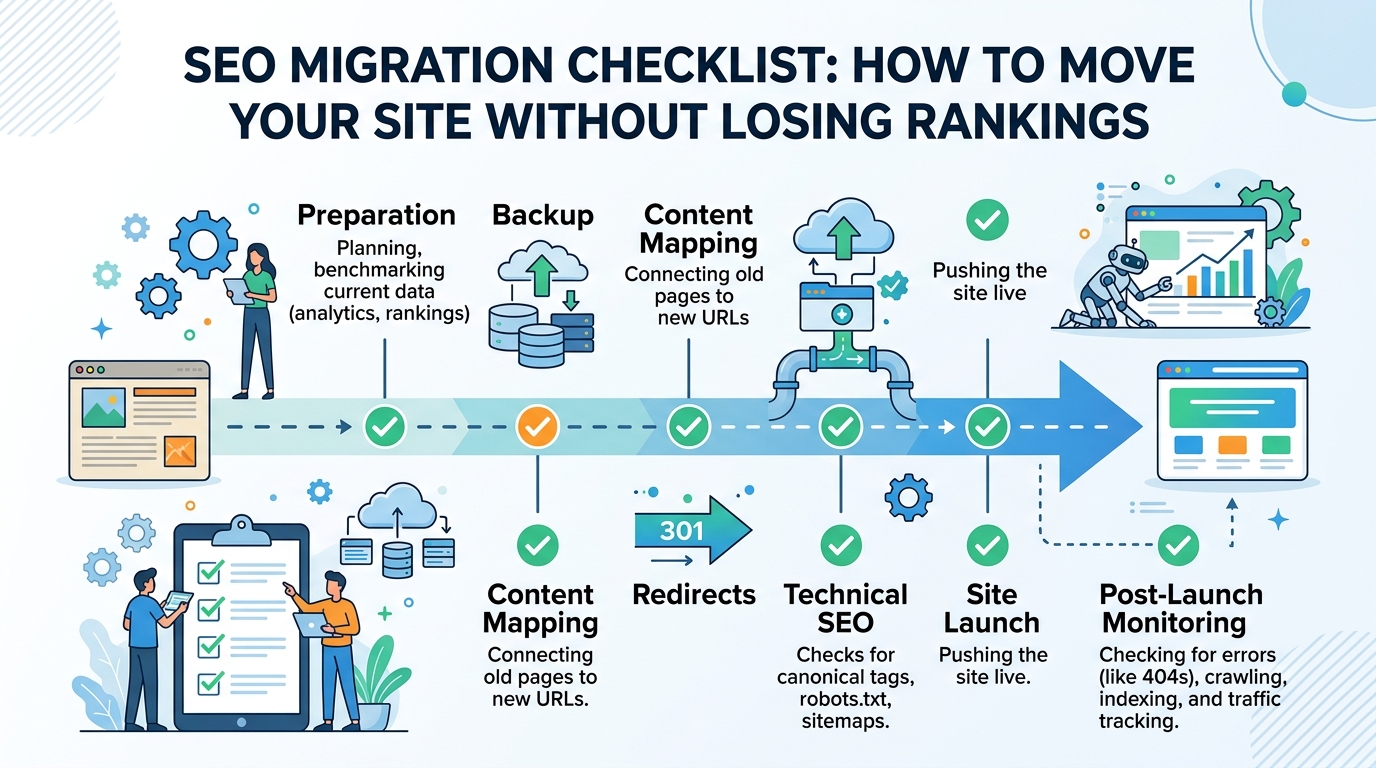
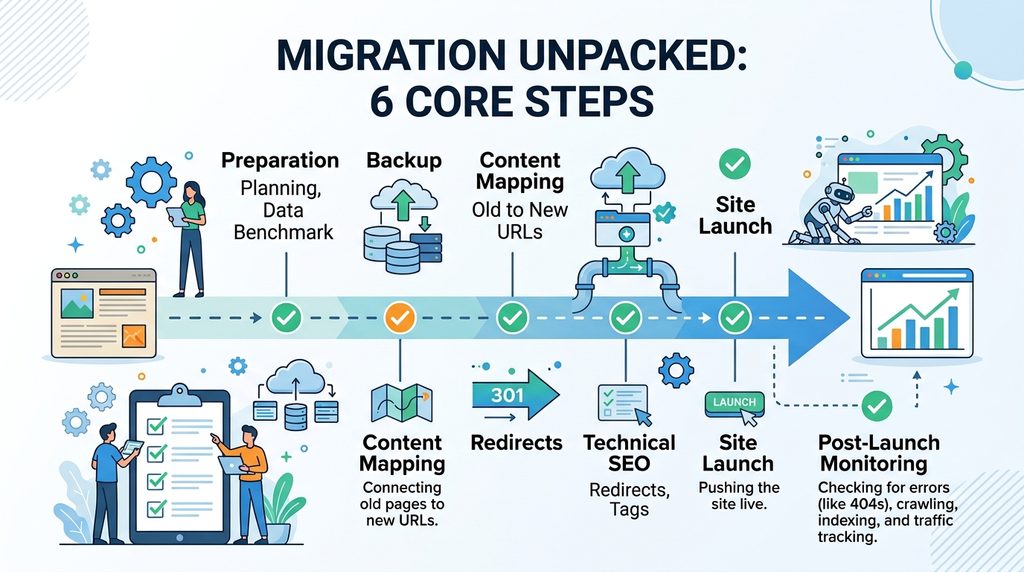
Step-by-Step SEO Migration Checklist: The 6 Core Steps
[Step 1: Preparation] ──► [Step 2: Data Backup] ──► [Step 3: Content Mapping]
                                                               │
[Step 6: Monitoring]  ◄── [Step 5: Site Launch] ◄── [Step 4: Technical Fixes]
Step 1: Preparation & Planning
Audit your current website structure before making any code changes. Export all active URLs, top-performing landing pages, and historical traffic benchmarks to set your baseline.
Step 2: Data & Asset Backup
Perform a full backup of your existing site database, media library, server configurations, and current XML sitemaps to ensure zero data loss if cutover rollback is required.
Step 3: Content Mapping (Old URLs to New URLs)
Build a complete 1:1 mapping table matching every legacy URL directly to its corresponding new destination path to avoid broken links and maintain topical authority.
Step 4: Technical SEO & Redirect Setup
Implement 301 or 308 edge redirect rules on your web server or CDN. Update self-referencing canonical tags on target pages and check open-graph metadata before going live.
Step 5: Site Launch & Cutover Execution
Update DNS settings to point to your new infrastructure, submit updated XML sitemaps via search engine consoles, and run the Google Search Console Change of Address tool.
Step 6: Post-Launch Monitoring & Audit
Continuously parse real-time server access logs for 301, 200, and 404 status codes. Track indexation progress and benchmark rankings to ensure zero traffic loss.
Technical Server Setup & Code Examples
Handle all redirect rules at the server or CDN edge level to prevent slow page load speeds (TTFB latency spikes).
1. Nginx Fast 1:1 Redirect Setup (nginx.conf)
Nginx
# Production 301 Redirect Engine for Path & Subdomain Alignment
server {
    listen 443 ssl http2;
    server_name oldsite.domain.com;

    ssl_certificate /etc/letsencrypt/live/oldsite.domain.com/fullchain.pem;
    ssl_certificate_key /etc/letsencrypt/live/oldsite.domain.com/privkey.pem;

    # Maps legacy paths directly to new domain paths
    location / {
        return 301 https://ahsanweb.com$request_uri;
    }
}
2. Cloudflare Worker Edge Redirect Code (worker.js)
JavaScript
// Edge-based 301/308 Mapping Engine for Enterprise Migrations
const redirectMap = new Map([
  ["/old-service-page", "https://ahsanweb.com/services/seo-migration-services"],
  ["/blog/legacy-post", "https://ahsanweb.com/blog/seo-migration/how-to-do-seo-migration"]
]);

addEventListener("fetch", (event) => {
  event.respondWith(handleRequest(event.request));
});

async function handleRequest(request) {
  const url = new URL(request.url);
  const target = redirectMap.get(url.pathname);

  if (target) {
    return Response.redirect(target, 301);
  }

  return fetch(request);
}
3. Comparing Site Migration Checklist Frameworks
| Migration Type | Risk Level | Speed Impact | Rank Transfer Time | Setup Difficulty |
| New Domain Name (1:1) | Medium | Very Fast (< 5ms) | 7–14 Days | Easy (DNS + Rewrite Rules) |
| New Web Platform (CMS) | High | Normal (10ms–50ms) | 14–30 Days | Hard (Code & Schema Fixes) |
| HTTP to HTTPS Move | Low | None (0ms) | 3–7 Days | Easy (Server Settings) |
| Folder Structure Change | High | Very Fast (< 5ms) | 14–21 Days | Medium (Pattern Matching) |
| Full Content Redesign | Critical | Varies | 30–90 Days | Very Hard (Content Remapping) |
Common Mistakes in an SEO Migration Checklist & Fixes
- Multiple Redirect Hops: Redirecting Page A $\rightarrow$ Page B $\rightarrow$ Page C slows load speed and loses ~15% backlink value per step. Map every old URL directly to its final destination.
- Canonical Tag Clashes: Every new target page requires a self-referencing canonical tag (
<link rel="canonical" href="[https://ahsanweb.com/new-page](https://ahsanweb.com/new-page)" />). Mismatched canonicals force search engines to ignore redirect instructions. - Wrong Page Redirects (Soft 404s): Redirecting deleted or irrelevant links to your homepage causes Soft 404 errors in Google Search Console. Map legacy links to their closest structural category node.
Tracking Long-Term Success with an SEO Migration Checklist
Traffic & Revenue Protection Table
+-------------------------------------------------------------------------+
|                  POST-MIGRATION CHECKLIST MATRIX                        |
+------------------------------------+------------------------------------+
| Standard Search Checks             | AI & Smart Search Checks           |
+------------------------------------+------------------------------------+
| • Google Indexing Rate (> 98%)     | • Perplexity Answer Citations      |
| • Fast Server Response (< 100ms)   | • ChatGPT Search Context Match     |
| • Kept Search Traffic (> 95%)      | • Google AI Overview Inclusion     |
| • Strong Backlink Pass-Through     | • Knowledge Graph Connectivity     |
+------------------------------------+------------------------------------+
Using a professional SEO migration checklist & services guide helps engineering teams catch technical failures before going live.
Complete 6-Step Actionable Checklist
- Step 1 (Preparation): Export all legacy URLs via server log files and Search Console.
- Step 2 (Backup): Perform complete database, image asset, and config backups.
- Step 3 (Content Mapping): Create a 1:1 path mapping table to eliminate broken link chains.
- Step 4 (Technical SEO): Apply 301/308 redirect rules at the server/CDN edge layer.
- Step 5 (Site Launch): Submit dual XML Sitemaps (Old 301s + New 200 OKs) and use Search Console Change of Address.
- Step 6 (Monitoring): Parse web server logs daily for
301success codes and404errors.
Frequently Asked Questions
Why is an SEO migration checklist necessary during a website redesign?
An SEO migration checklist ensures that all URL structures, canonical tags, server redirect rules, and XML sitemaps are verified so search engines transfer existing ranking authority without organic traffic loss.
What is the difference between a 301 and 308 redirect in an SEO migration checklist?
A 301 redirect marks a permanent move but may allow legacy HTTP clients to change POST requests to GET. A 308 redirect strictly preserves original POST data across modern web applications.
How long does Google take to transfer rankings after following an SEO migration checklist?
Ranking transfers typically take 7 to 30 days for small-to-medium platforms, and up to 90 days for large enterprise platforms with complex URL structures.
Need Help Moving Your Site Without Traffic Losses?
Protect your domain authority, preserve organic revenue streams, and secure AI answer engine citations during your site migration.
Get the Zero-Downtime SEO Migration Blueprint ($2,500)
Leave a Reply