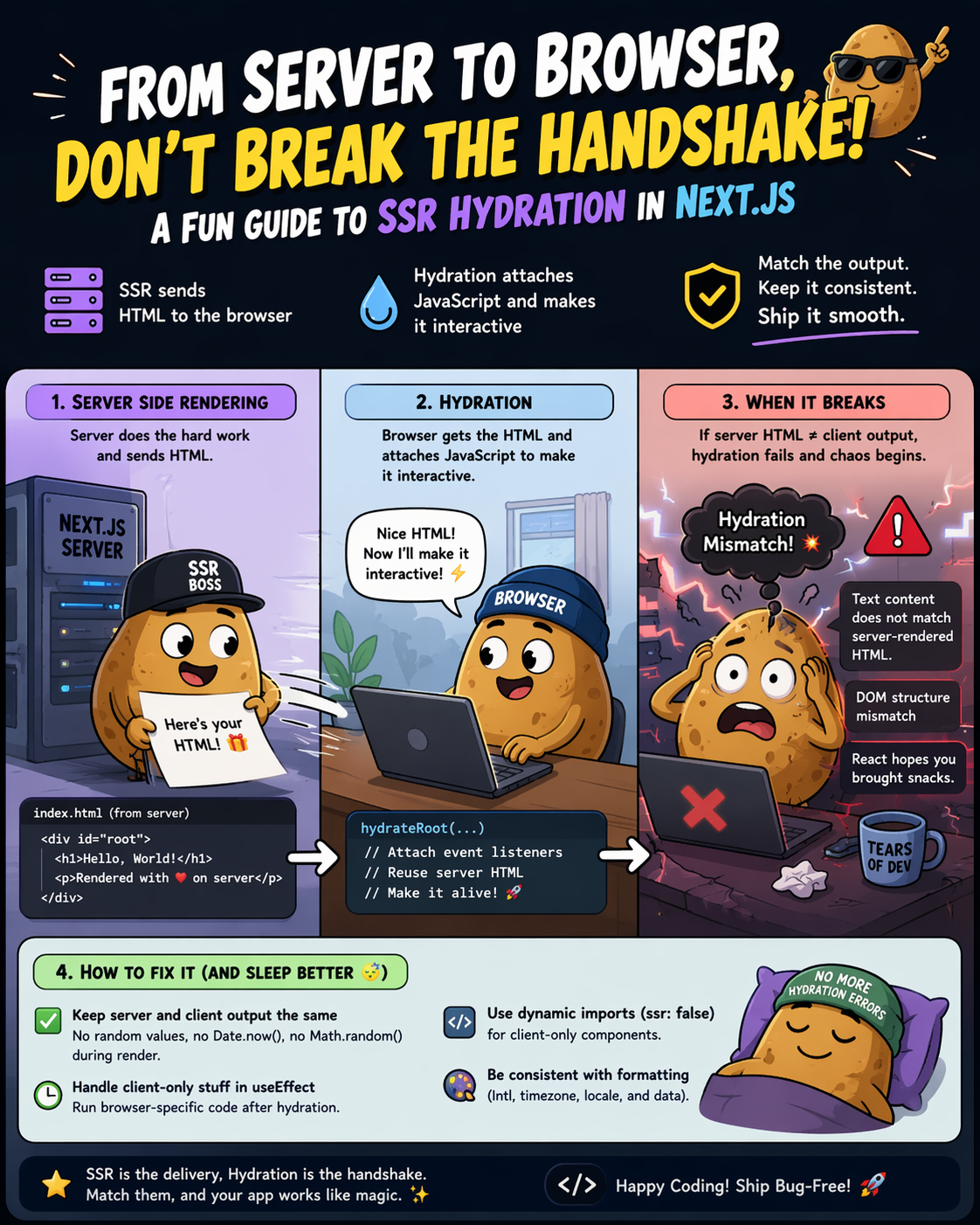
The Misunderstood Middle Step
On the surface, SSR looks simple: the server renders HTML, the browser receives it, and users see content immediately. But between “server renders HTML” and “user can interact with the page,” there’s a critical phase that almost nobody talks about in interviews—and almost everybody gets wrong in production.
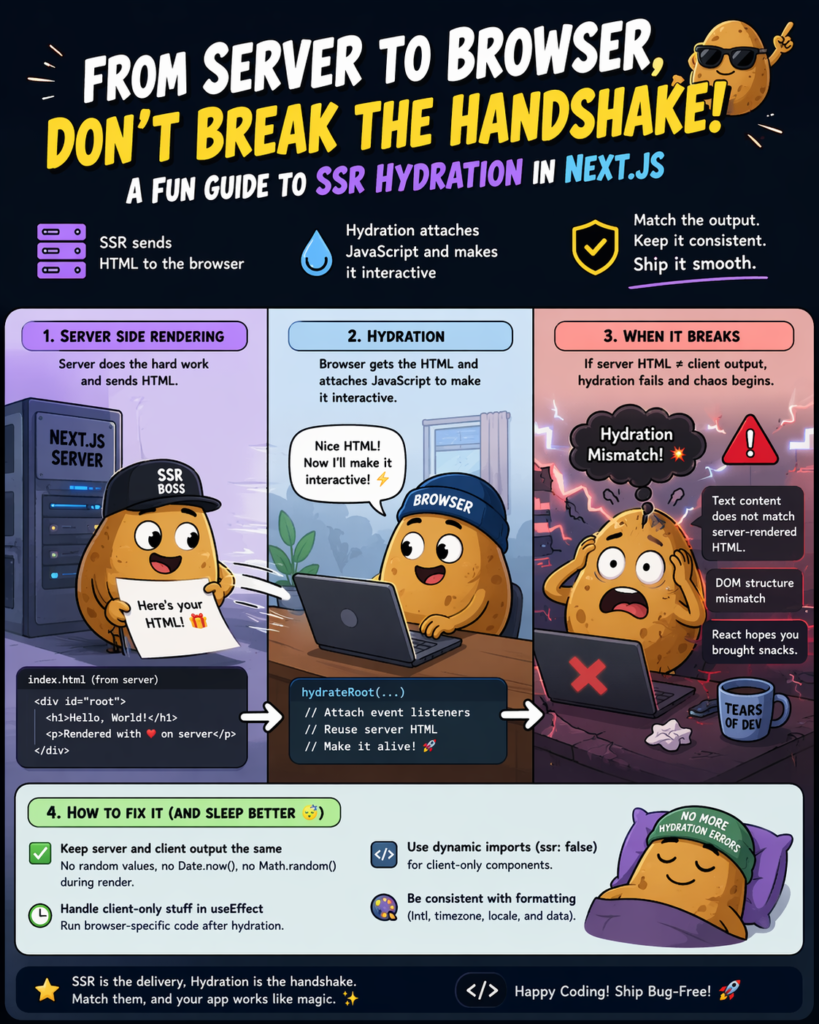
That phase is **hydration**.
Hydration mismatches are responsible for some of the most frustrating and hard-to-debug performance regressions I’ve encountered. They’re also one of the hidden reasons why technically “SSR’d” sites still fail Core Web Vitals audits.
> If you haven’t yet read SSR: The Non-Negotiable Standard for SEO Performance.
What Is Hydration, Exactly?
When Next.js renders a page on the server, it produces a static HTML string and sends it to the browser. That HTML is immediately visible — no JavaScript required to see it.
But that HTML is inert. It has no event listeners. Clicking a button does nothing. Forms don’t submit. Dropdowns don’t open.
**Hydration** is the process where React takes that server-rendered HTML and “attaches” the JavaScript to it — making it interactive. React walks the real DOM (the HTML the browser received) and the virtual DOM (what React thinks the page should look like), and reconciles them.
Server HTML (static) + React runtime = Interactive page
In Next.js, this happens automatically after the JavaScript bundle is downloaded and parsed.
Why Hydration Errors Happen
The most common hydration error message in Next.js looks like this:
Warning: Text content did not match.
Server: “Monday, April 14” Client: “Friday, April 17”
Or the more alarming:
Error: Hydration failed because the initial UI does not match
what was rendered on the server.
These happen when the **server-rendered HTML doesn’t match what React tries to render on the client**. The DOM tree diverges, and React has to throw away the server HTML and re-render from scratch — defeating the entire point of SSR.
The most common causes:
1. Date/time-dependent rendering**
jsx
❌ This will always mismatch
export default function Header() {
return <p>Today is {new Date().toLocaleDateString()}</p>
}
The server renders the date at build/request time. The client renders a different date (or the same date in a different locale). Mismatch.
2. `Math.random()`or `crypto.randomUUID()`in render**
jsx
Different value on server vs client
const id = Math.random().toString(36).slice(2)
3. `typeof window !== ‘undefined’`branching**
jsx
❌ Server gets one branch, client gets another during hydration
const isClient = typeof window !== ‘undefined’
return isClient ? <BrowserOnlyWidget /> : null
4. Browser extensions modifying the DOM**
Ad blockers, password managers, and translation extensions all modify the DOM after the server delivers it. These trigger hydration warnings that are outside your control — but they’ll still pollute your error logs.
The Performance Consequence: TBT and INP
Here’s what most SEO guides miss: hydration isn’t just a developer ergonomics issue. It directly affects your **Core Web Vitals**.
When React detects a hydration mismatch and falls back to client-side rendering, the browser must:
1. Discard the existing DOM
2. Re-render the entire component tree in JavaScript
3. Repaint the page
This is CPU-intensive work that blocks the main thread. The result is elevated **Total Blocking Time (TBT)** and worse **Interaction to Next Paint (INP)** — both signals uses to evaluate page experience.
A page that looks fast (quick FCP from SSR) but feels slow (sluggish interactivity from hydration thrashing) will still lose ground in the rankings to a well-hydrated competitor.
> This is exactly the rendering problem discussed in “SEO for Software Engineers: Moving from Crawlers to Generative AI. Crawler has grown sophisticated enough to evaluate interactivity, not just initial render speed.
How to Fix Hydration Issues in Next.js
Fix 1: `suppressHydrationWarning`for unavoidable mismatches
For content that genuinely must differ between server and client (like timestamps), suppress the warning at the element level:
jsx
<time suppressHydrationWarning>
{new Date().toLocaleDateString()}
</time>
Use this sparingly. It tells React “I know this will mismatch, skip checking this element.” Overusing it defeats the purpose of SSR.
Fix 2: `useEffect`for browser-only content
jsx
import { useState, useEffect } from ‘react’
export default function ClientDate() {
const [date, setDate] = useState<string | null>(null)
useEffect(() => {
setDate(new Date().toLocaleDateString())
}, [])
return <time>{date ?? ‘Loading…’}</time>
}
The server renders `null` (or a skeleton). The client fills it in after mount. No mismatch.
Fix 3: `dynamic()`with `ssr: false`for fully client-side components
jsx
import dynamic from ‘next/dynamic’
const BrowserOnlyChart = dynamic(
() => import(‘../components/Chart’),
{ ssr: false }
)
This tells Next.js to skip rendering this component on the server entirely. It will only hydrate on the client. Ideal for components that use `window`, `document`, canvas, or WebGL.
Fix 4: Stable IDs with `useId()`
React 18 introduced `useId()` specifically to generate stable, consistent IDs that match between server and client:
jsx
import { useId } from ‘react’
export default function FormField() {
const id = useId()
return (
<>
<label htmlFor={id}>Email</label>
<input id={id} type=”email” />
</>
)
}
Never use `Math.random()` for IDs in rendered output.
Partial Hydration: The Next Frontier
Next.js 13+ with the App Router introduces **React Server Components (RSC)** — a model where some components never hydrate at all. They’re rendered on the server and sent as static HTML with zero JavaScript footprint on the client.
jsx
app/page.tsx — This is a Server Component by default
// It renders on the server, sends HTML, adds NO JS to the bundle
export default async function Page() {
const data = await fetch(‘https://api.example.com/posts’)
const posts = await data.json()
return <PostList posts={posts} />
}
The shift is significant: instead of “SSR everything, hydrate everything,” the new model is “SSR everything, hydrate only what needs interactivity.”
For SEO, this is transformative. Pages become genuinely lighter — less JavaScript means faster parse time, lower TBT, and better Lighthouse scores — all without sacrificing content visibility for crawlers.
> For a deeper look at how these rendering strategies affect crawler behavior, see JavaScript SEO: How Search Engine Crawls & Renders JS-Heavy Sites.
# Checklist: Hydration-Safe Next.js Development
– [ ] No `Math.random()` or `Date.now()` in JSX render paths
– [ ] All browser-only APIs wrapped in `useEffect` or guarded with `dynamic({ ssr: false })`
– [ ] `useId()` used for all generated DOM IDs
– [ ] `suppressHydrationWarning` used only on genuinely unavoidable mismatches
– [ ] React 18 App Router adopted for new projects (Server Components by default)
– [ ] Hydration errors monitored in production (Sentry, Datadog, or `window.onerror`)
– [ ] Core Web Vitals measured after hydration — not just after FCP
Summary
Hydration gets your page interactive for users. Getting hydration wrong means you get the worst of both worlds: the infrastructure cost of SSR with the performance profile of CSR.
The fix isn’t complicated, but it requires deliberate attention to the boundary between server and client state. Once you internalize that boundary, hydration errors become easy to spot and prevent before they ever reach production — and your Core Web Vitals scores will reflect it.
FAQ: SSR Hydration in Next.js
What is hydration in Next.js?
Hydration is the process where React attaches JavaScript to server-rendered HTML, making the page interactive in the browser. Without hydration, the HTML is static and cannot respond to user actions.
Why do hydration mismatches happen?
Hydration mismatches occur when the HTML generated on the server differs from what React renders on the client. Common causes include dynamic values like dates, random numbers, or conditional rendering based on browser-only APIs.
Are hydration errors bad for SEO?
Yes—indirectly. Hydration errors can lead to unnecessary client-side re-rendering, which increases Total Blocking Time (TBT) and negatively impacts Core Web Vitals, affecting search rankings.
Leave a Reply